Posted on

Factory-Built Fireplace Inspection Reports Need Model-Specific Documentation

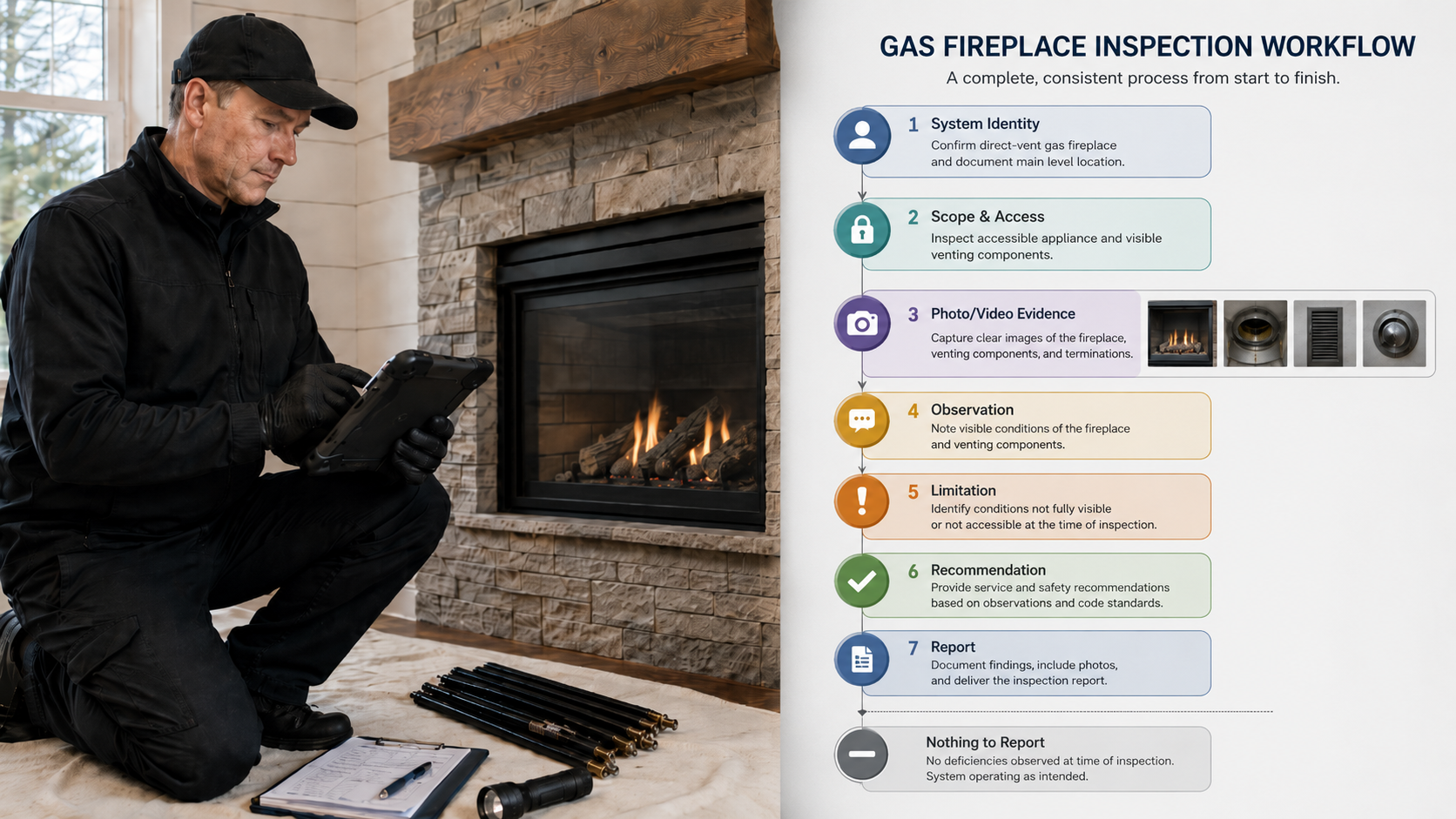
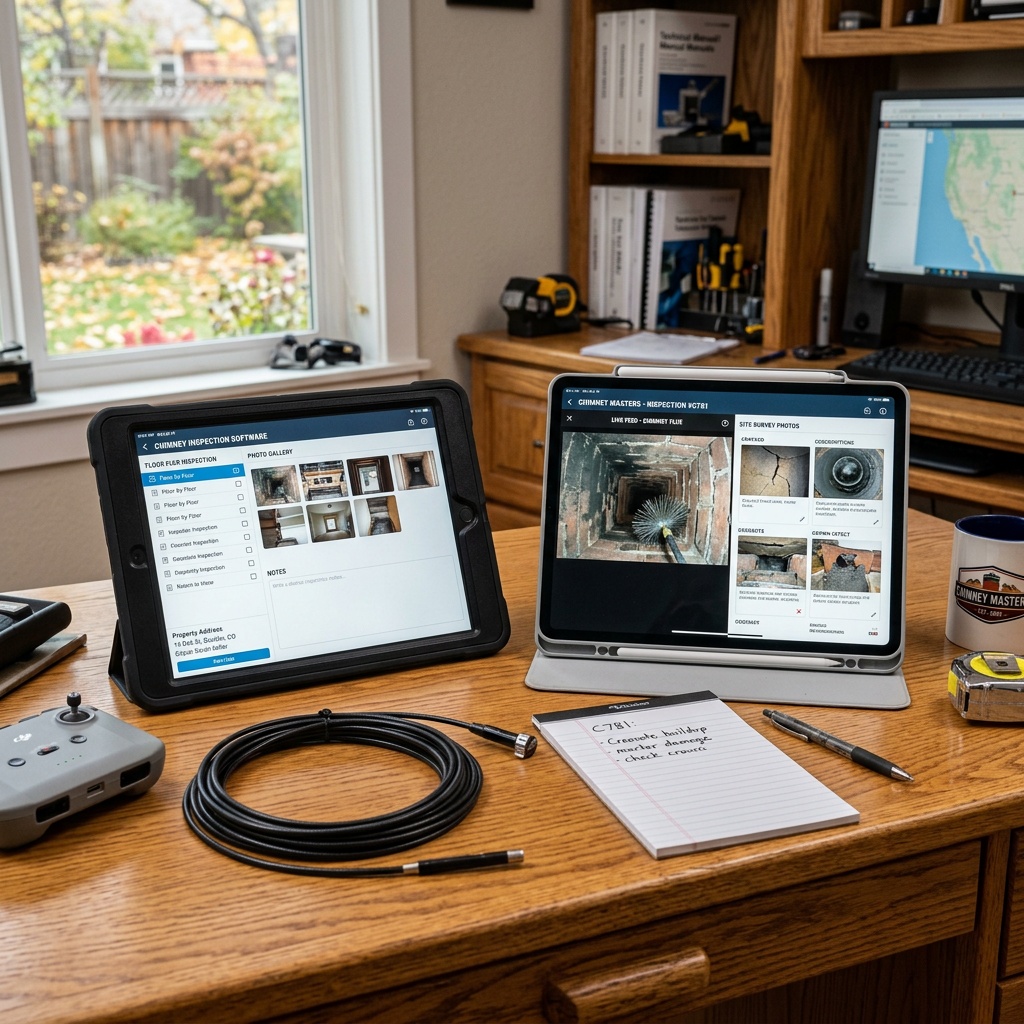
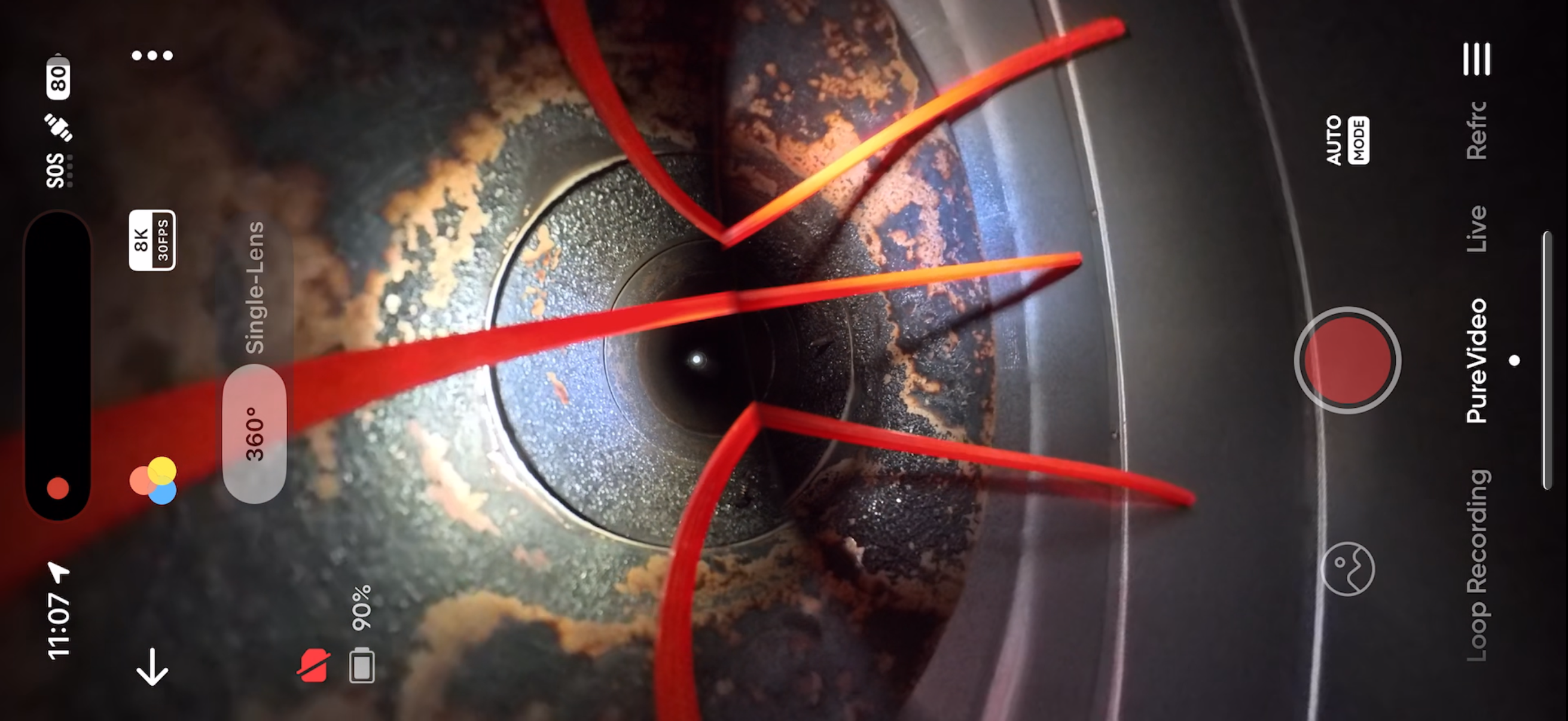
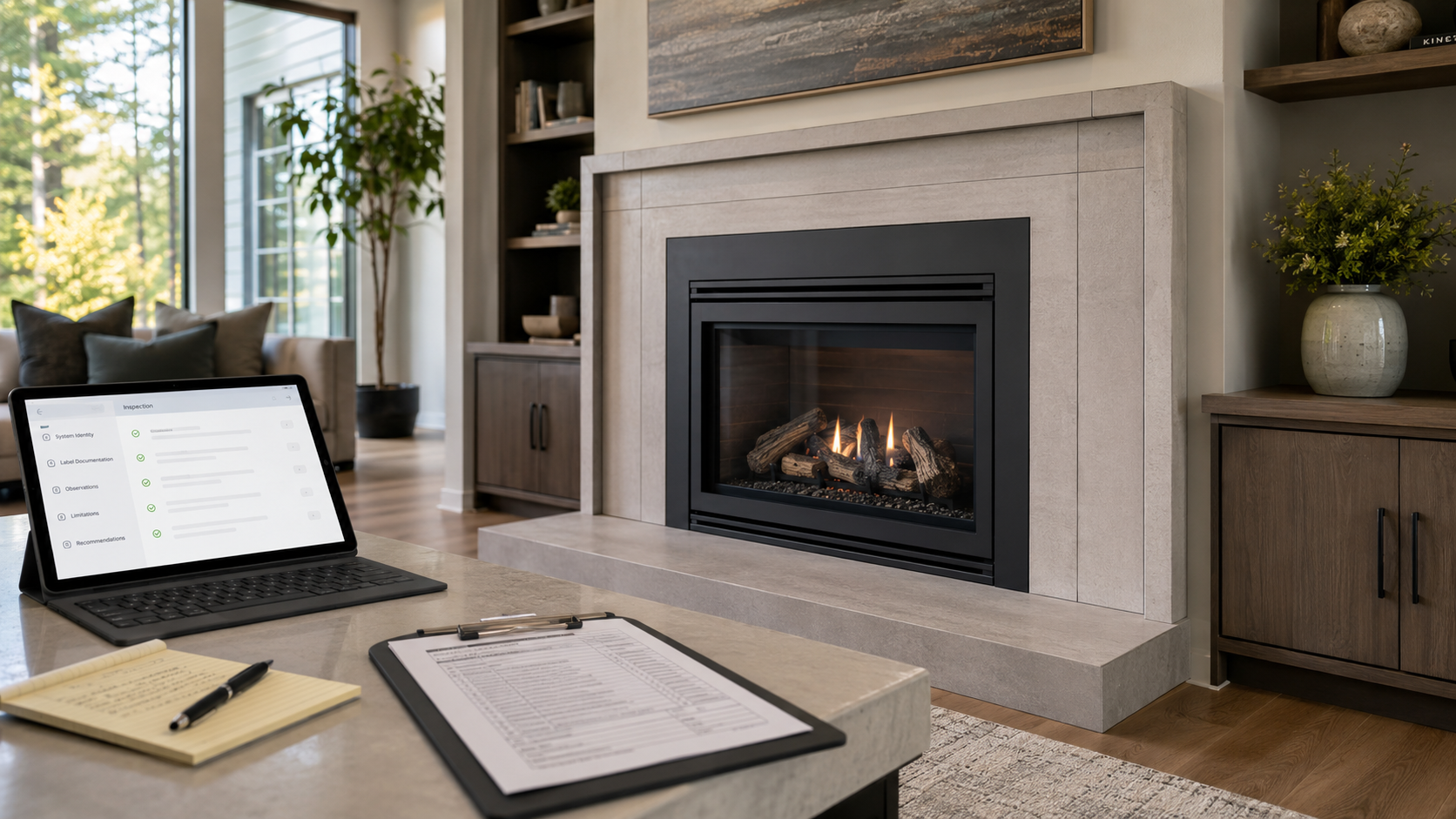
Factory-built fireplace inspection documentation workflow with tablet report, manual pages, label documentation, and internal camera inspection evidence.
A factory-built fireplace is not a generic fireplace.

That sounds obvious, but it is one of the most important distinctions in fireplace and chimney inspection reporting.

A masonry fireplace is largely evaluated as a site-built structure. A factory-built fireplace is different. It is a listed system made from specific factory-made components, installed under specific listing conditions, with manufacturer instructions that often control the details of the installation.

That difference should show up in the inspection report.

A report that only says “factory-built fireplace inspected” may not be enough. It may identify the category, but not the system. It may show photos, but not preserve the model information. It may describe visible conditions, but not explain whether the manufacturer, model, chimney system, accessories, or installation instructions could be verified.

For factory-built fireplaces, model-specific documentation matters.

The Model Is Part of the Inspection Record

A factory-built fireplace report should begin by identifying the system as specifically as reasonably possible.

At minimum, the report should attempt to document:

  • fireplace manufacturer;
  • fireplace model number;
  • serial number when visible;
  • listing label status;
  • fuel type;
  • appliance configuration;
  • chimney or vent system type;
  • visible chimney manufacturer or system identification;
  • termination type;
  • visible listed accessories;
  • doors, louvers, panels, grates, refractory panels, and other visible components;
  • whether manufacturer instructions were available for review.

This does not mean every inspection can verify every item.

In older homes, labels may be missing, painted, corroded, concealed, covered by trim, damaged, or inaccessible. Manuals may be unavailable. Replacement parts may not be original. Decorative shrouds, doors, gas log sets, inserts, caps, chase covers, terminations, refractory panels, or chimney sections may have been modified or replaced over time.

That is exactly why the report needs clear documentation.

If the model information is visible, document it.

If it is not visible, document the Limitation.

If the model cannot be verified, do not silently treat the system as verified.

A Label Is Evidence

A listing label is not just a photo to include in the report.

It is evidence of system identity.

When a label is present and readable, the report can use that information to identify the appliance and support further evaluation against manufacturer instructions.

When a label is missing or unreadable, the report should not pretend the system is fully identified.

Those are different report conditions.

A strong report may document:

The visible rating/listing label was present and readable. Manufacturer and model information were documented from the label.

Or:

The rating/listing label was not located during the inspection. Manufacturer and model information could not be verified from visible labeling. Further Evaluation Recommended before relying on compatibility, listing, or manufacturer-specific installation conclusions.

Or:

The visible label was present but damaged/unreadable. Manufacturer and model information could not be confirmed from the label.

Those statements are more useful than a generic checkbox that says “factory-built fireplace.”

The report should preserve what was actually verified.

Manufacturer Instructions Are Not Optional Context

Factory-built fireplace inspection often depends on the manufacturer’s installation instructions.

That does not mean the inspector guarantees that every concealed installation detail matches the manual. It also does not mean the inspector can verify every listed component during a standard inspection.

It means the report should identify whether the manual was available and whether visible conditions were compared to known manufacturer requirements.

A professional report should be able to distinguish between:

  • manufacturer instructions reviewed;
  • manufacturer instructions not available;
  • model could not be identified;
  • visible condition appears inconsistent with available instructions;
  • component compatibility could not be verified;
  • concealed areas prevented confirmation;
  • Further Evaluation Recommended.

That distinction matters because factory-built systems are model-specific. Clearance, support, firestopping, chimney sections, termination components, outside-air components, hearth extensions, doors, and accessories may depend on the listing and instructions for that specific system.

A report should not imply that the inspector verified manufacturer compliance if the model and manual were not available.

Components Are Not Interchangeable by Default

Factory-built fireplaces are often altered over time.

Common examples include:

  • replacement doors;
  • missing or damaged refractory panels;
  • aftermarket refractory panels;
  • changed grates;
  • decorative shrouds;
  • chase covers and terminations;
  • gas log sets;
  • fireplace inserts;
  • chimney caps;
  • outside-air components;
  • blower kits;
  • trim kits;
  • modified louvers;
  • field-fabricated repairs.

Some of those items may be acceptable for a specific system. Some may not be. Some may require manufacturer documentation, listing information, or further evaluation by the manufacturer, AHJ, or qualified professional.

The report should not reduce those conditions to vague language such as:

Fireplace has aftermarket parts.

That may be true, but it is incomplete.

Better documentation separates the Observation from the Recommendation.

Observation:

Replacement fireplace doors were present. Compatibility with the listed factory-built fireplace model was not verified from visible labeling or available manufacturer instructions.

Recommendation:

Further Evaluation Recommended before use to verify whether the doors are listed or approved for use with this specific factory-built fireplace model.

That structure preserves the inspector’s logic.

The Chimney System Also Needs Identity

A factory-built fireplace is not just the firebox.

The chimney system matters.

A report should document visible chimney-system information when available, including:

  • chimney pipe type;
  • visible manufacturer label or markings;
  • diameter;
  • termination style;
  • chase condition;
  • visible offsets;
  • attic or chase access;
  • support and firestop visibility;
  • exterior corrosion or damage;
  • whether the chimney appears to be part of the listed fireplace system;
  • whether visible components are damaged, missing, altered, or unverifiable.

The report should avoid overstating concealed information.

For example, if attic access is blocked, the report should not imply the firestop, support box, chimney clearance, or chase interior was evaluated.

A stronger report states the Limitation:

Attic access was Inaccessible at the time of inspection. Firestop, support, and concealed chimney-clearance conditions could not be evaluated from that area.

That is not defensive writing.

It is accurate writing.

Internal Camera Inspection Has Limits

Internal camera inspection of the flue can provide valuable visual evidence.

It can help document visible interior conditions, offsets, obstructions, joint conditions, deterioration, corrosion, damaged sections, debris, bird nesting, or other accessible internal conditions.

But the internal camera inspection does not verify every part of a factory-built fireplace system.

It may not verify:

  • manufacturer model;
  • listing compatibility;
  • clearance to combustibles;
  • chase construction;
  • attic firestopping;
  • hidden support conditions;
  • concealed exterior-air components;
  • whether accessories are listed for the model;
  • whether prior repairs used correct replacement parts.

The report should explain what the internal camera inspection did and did not document.

A stronger report may say:

Internal camera inspection of the flue was performed from the fireplace opening. Visible interior chimney sections were documented where accessible. This inspection did not verify concealed clearances, listed component compatibility, or manufacturer-specific accessory approval.

That is clearer than:

Camera inspection completed.

“Nothing to Report” Must Not Hide Missing Model Information

Nothing to Report is useful only when it means the section was included and observed within the applicable scope, and no reportable Observed Condition was documented.

It should not be used to hide missing model identity.

For example:

  • If the label was visible and no reportable label issue was observed, Nothing to Report may be appropriate for that label section.
  • If the label was missing, that is not Nothing to Report.
  • If the label was hidden by trim and could not be viewed, that is a Limitation or Inaccessible condition.
  • If the manual was not available, that should be documented as a Limitation or documentation gap.
  • If compatibility could not be verified, that should be stated clearly.

A factory-built fireplace report should not make “no visible damage” sound the same as “system identity verified.”

Those are different conclusions.

Home Inspectors Need Clear Referral Language

Home inspectors often observe factory-built fireplaces during general home inspections.

That does not automatically mean they have performed a chimney-specific inspection, verified manufacturer instructions, confirmed the listing, or evaluated concealed chimney-system components.

A clear general home inspection statement may say:

A factory-built fireplace was observed. Manufacturer/model information and internal chimney-system conditions were not fully evaluated as part of this general home inspection. Further Evaluation Recommended by a qualified chimney/fireplace professional before use or closing.

If the home inspector observes missing panels, corrosion, altered doors, damaged chase components, inadequate clearances, visible fire damage, missing labels, or a fireplace insert installed into a factory-built fireplace, the referral should become more specific.

The goal is not to overstate the inspection.

The goal is to preserve the boundary.

What Factory-Built Fireplace Inspection Software Should Document

Chimney inspection software should not treat a factory-built fireplace as a generic room note.

A stronger workflow should help document:

  • system identity;
  • manufacturer;
  • model;
  • serial number;
  • listing-label status;
  • manual availability;
  • fuel type;
  • appliance type;
  • chimney or vent system;
  • visible components;
  • accessory status;
  • Included areas;
  • Excluded areas;
  • Inaccessible areas;
  • Not Applicable sections;
  • Limitations;
  • Observations;
  • Observed Conditions;
  • internal camera inspection of the flue;
  • photo evidence;
  • Recommendations;
  • Further Evaluation Recommended;
  • final report review.

This structure is especially useful when the model is not known.

Good software should not force the inspector to choose between “acceptable” and “defective” when the accurate answer is:

Model-specific compatibility could not be verified from visible labeling or available documentation.

That is a real inspection result.

The report should have a place for it.

Why This Matters for Chimney Companies

Factory-built fireplace documentation affects more than the report layout.

It affects:

  • client understanding;
  • office review;
  • repair planning;
  • replacement-part research;
  • manufacturer manual lookup;
  • AHJ communication;
  • insurance communication;
  • real estate negotiations;
  • use recommendations;
  • future service calls.

If the report does not identify the model, the office may not be able to research the correct manual.

If the report does not explain that the label was missing, the client may think the system was fully identified.

If the report does not separate visible Observations from unverifiable compatibility, the Recommendation may appear stronger or weaker than the evidence supports.

That is why factory-built fireplace reporting needs structure.

How InspectionFire Supports Better Factory-Built Fireplace Documentation

InspectionFire is built for chimney, fireplace, venting, and appliance documentation.

For factory-built fireplaces, the value is not just producing a cleaner PDF.

The value is preserving the system record.

A disciplined workflow helps the inspector document the fireplace as a specific system, not just a generic appliance. It helps keep photos, Observations, Limitations, internal camera inspection information, manual notes, and Recommendations connected to the correct fireplace, chimney, vent, or appliance.

That matters when the system has missing labels, altered components, inaccessible areas, manufacturer-specific requirements, or conditions that require Further Evaluation Recommended.

The report should not depend on memory.

It should show what was verified, what was observed, what was limited, and what could not be confirmed.

Bottom Line

Factory-built fireplace inspection reports need model-specific documentation.

The report should attempt to identify the manufacturer, model, listing label, manual availability, chimney system, visible components, accessories, Limitations, Observations, Observed Conditions, and Recommendations.

When that information cannot be verified, the report should say so clearly.

That is not a weakness in the report.

It is the report doing its job.

See the Difference. Schedule a Walkthrough.

InspectionFire helps chimney, fireplace, venting, and inspection professionals document factory-built fireplaces with clearer system identity, photo evidence, internal camera inspection records, Limitations, Observations, Recommendations, and final report review.

Schedule a walkthrough to see how the workflow supports better fireplace and chimney inspection documentation.

FAQ

What should a factory-built fireplace inspection report include?

A factory-built fireplace inspection report should include the fireplace manufacturer, model, serial number when visible, label status, manual availability, fuel type, chimney or vent system, visible components, Limitations, Observations, Observed Conditions, Recommendations, and internal camera inspection documentation where applicable.

Why does the fireplace model number matter?

The model number matters because factory-built fireplaces are listed systems. Clearances, accessories, replacement components, doors, chimney systems, terminations, and installation requirements may depend on the specific manufacturer and model.

What if the factory-built fireplace label is missing?

If the label is missing, damaged, concealed, or unreadable, the report should document that as a Limitation or Inaccessible condition. The report should not imply that manufacturer/model information was verified.

Is an internal camera inspection enough to verify a factory-built fireplace?

No. Internal camera inspection of the flue can document visible interior conditions, but it does not verify every concealed clearance, listed component, accessory approval, manufacturer model, or installation detail.

Should a home inspector report on factory-built fireplace model information?

A home inspector may document visible manufacturer/model information when readily available, but a general home inspection should not imply a chimney-specific factory-built fireplace inspection unless that service was included, performed, and documented within a defined scope.

What does “Further Evaluation Recommended” mean in a factory-built fireplace report?

Further Evaluation Recommended means the observed condition, missing information, inaccessible area, or unverifiable compatibility requires additional review by a qualified professional, manufacturer, AHJ, or other appropriate party before relying on the system for continued use.

How should inspection software handle missing manuals?

Inspection software should allow the inspector to document whether manufacturer instructions were reviewed, unavailable, not provided, or could not be matched because the model was not verified.

Why is generic fireplace reporting risky for factory-built systems?

Generic reporting can make a factory-built fireplace appear simpler than it is. Without model-specific documentation, the report may fail to preserve listing-label status, manual availability, component compatibility, accessory concerns, and inspection Limitations.


Alt text

Factory-built fireplace inspection documentation workflow with tablet report, manual pages, label documentation, and internal camera inspection evidence.
Posted on

Fireplace Insert Inspection Reports Must Document More Than the Appliance

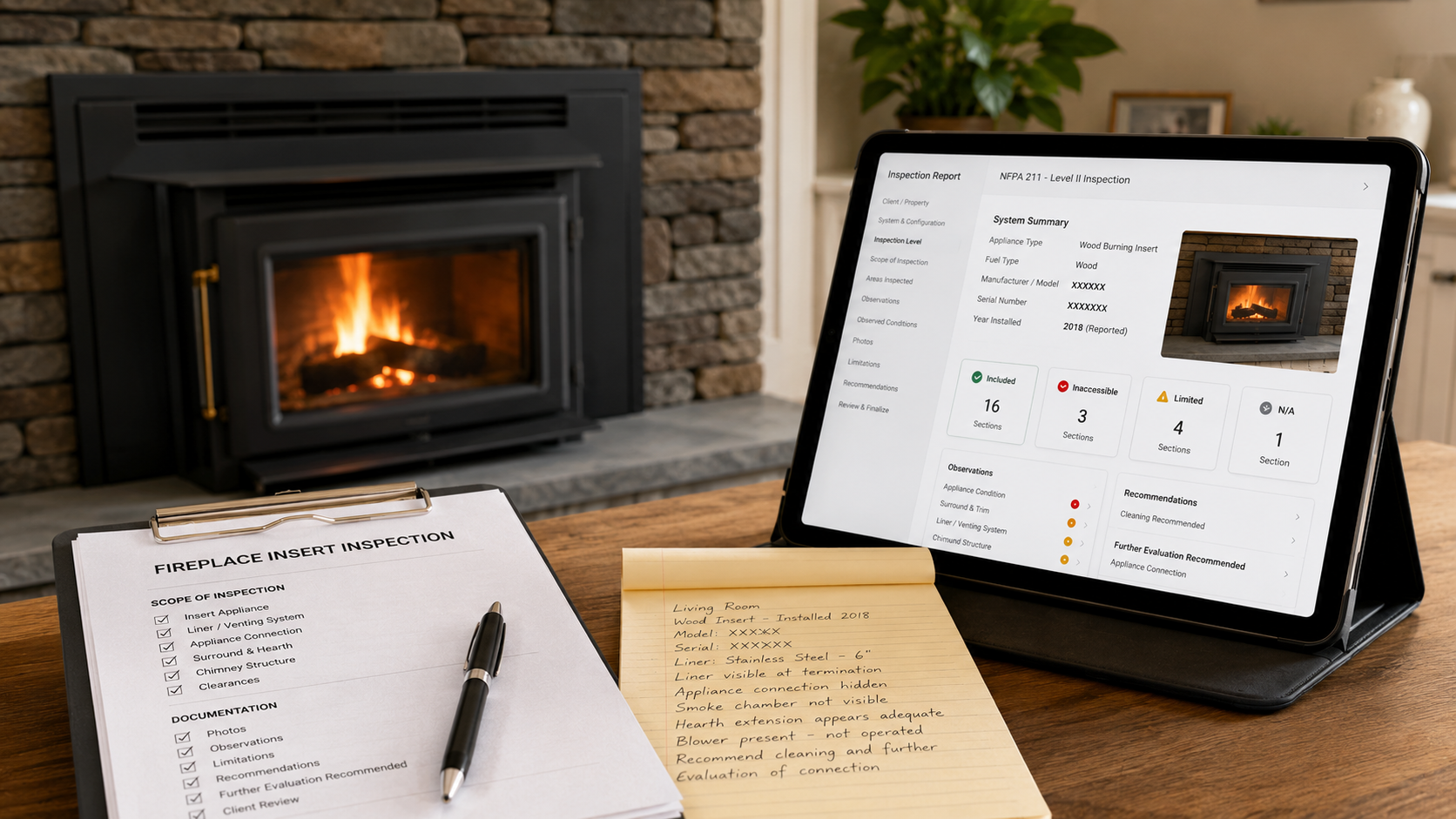
Fireplace insert inspection reports should document the appliance, liner, connection, original fireplace, Limitations, Observations, and Recommendations.

A fireplace insert can make a fireplace inspection look simple.

From the room, the inspector may see an appliance, glass front, surround, controls, trim, and a finished installation. The system may appear neat, contained, and easy to describe.

But a fireplace insert is not just an appliance sitting in a room.

It is an appliance installed into an existing fireplace. That means the report may need to account for several related parts of the system:

  • the insert itself;
  • the original fireplace;
  • the flue or liner serving the insert;
  • the appliance connection;
  • the visible hearth and surround;
  • the chimney structure;
  • the accessible attic, crawlspace, basement, chase, and roof areas;
  • the manufacturer instructions and listing information that apply to the appliance and venting system;
  • the Limitations that affected what could actually be evaluated.

A report that only says “fireplace insert inspected” may not preserve enough of that context.

The better question is:

Did the report document the inserted appliance, the original fireplace, the chimney system for the fireplace and the insert, the connection, and the areas the insert concealed?

That is where fireplace insert inspection software matters.

A Fireplace Insert Can Hide the Original System

One of the main inspection challenges with inserts is visibility.

A fireplace insert may block access to the original firebox, smoke chamber, damper area, hearth details, fireplace opening, smoke shelf, flue entrance, or connector transition. The surround may cover gaps, damaged masonry, altered openings, abandoned components, combustibles, or installation details. The appliance itself may prevent the inspector from seeing how the insert connects to the liner or flue.

That does not mean the inspector did anything wrong.

It means the report needs to document the Limitation.

There is a major difference between:

The original fireplace and smoke chamber were inspected and no reportable Observed Conditions were documented.

and:

The fireplace insert and surround limited visibility of the original fireplace, smoke chamber, damper area, and appliance connection. Those areas were not fully evaluated within the inspection scope.

Those two statements do not mean the same thing.

A report should not make them look the same.

The Insert Is One Part of the System

The insert deserves its own system identity.

The report should attempt to document:

  • appliance type;
  • fuel type;
  • manufacturer;
  • model;
  • serial number when visible;
  • listing or certification label status when visible;
  • control location;
  • glass/front condition;
  • surround condition;
  • visible appliance condition;
  • visible installation concerns;
  • manual availability;
  • visible venting or liner information;
  • whether the appliance was operated, not operated, or excluded from operation;
  • whether the appliance was cool, accessible, and safe to evaluate within the inspection scope.

That information matters.

A gas insert, wood insert, pellet insert, or electric insert may each create a different inspection path. A direct-vent gas insert does not document the same way as a wood-burning insert connected to a stainless liner in a masonry chimney. A pellet insert with mechanical components and venting details does not present the same reporting problem as a decorative electric insert.

The report should preserve what type of appliance was actually inspected.

The Original Fireplace Still Matters

When an insert is installed into an existing fireplace, the original fireplace does not disappear from the inspection record. Generally the original fireplace must be evaluated to determine its suitability to house the installed insert. Sometimes inserts can bypass deficiencies in the original system but often inserts require that the original fireplace systems meet or exceed minimum wood-burning requirements due to lack of testing in improperly constructed or damaged system.

Depending on the scope, the original fireplace may still matter because it may affect:

  • clearances;
  • hearth support;
  • chimney suitability;
  • masonry condition;
  • smoke chamber condition;
  • damper-area modification;
  • prior fire damage;
  • abandoned openings;
  • liner support;
  • connector routing;
  • combustible material near the opening;
  • visible alteration of the fireplace structure.

The report should distinguish between the insert and the original fireplace.

For example:

System: Living Room Wood Fireplace Insert
Host Fireplace: Existing masonry fireplace
Visible Limitation: Insert body and surround limited visibility of the original firebox, damper area, smoke chamber, and liner connection.

That structure is clearer than placing every note under a generic “fireplace” section.

The Liner and Connection Need Separate Documentation

Many fireplace insert inspection problems involve the venting path.

The report may need to document:

  • whether a liner was visible;
  • liner material when visible;
  • liner size when visible or known;
  • whether the liner was continuous to the termination where observable;
  • connection method at the appliance when visible;
  • connector/adaptor visibility;
  • cap or termination configuration;
  • whether the liner served only the insert or appeared to share the chimney with another opening or appliance;
  • whether internal camera inspection of the flue was performed;
  • where the internal camera inspection was started;
  • whether debris, offsets, appliance geometry, liner size, or access prevented full evaluation.

If the liner or connector could not be evaluated, the report should say so.

A vague statement such as:

Insert venting appears okay.

is weaker than:

A liner was visible at the chimney termination. The appliance-to-liner connection was concealed by the insert and surround and was not verified within the inspection scope. Further Evaluation Recommended if confirmation of the appliance connection is required before use, sale, or repair planning.

That language identifies both the Observation and the Limitation.

Internal Camera Inspection Is Evidence, Not a Guarantee

Internal camera inspection of the flue can be highly useful in insert inspections.

It can help document visible interior liner condition, obstructions, deposits, offsets, damage, corrosion, gaps, abandoned openings, or areas where the camera could not travel.

But the internal camera inspection does not automatically verify every part of the insert installation.

It may not verify:

  • concealed clearances;
  • the full appliance-to-liner connection;
  • hidden adaptor details;
  • whether the liner is properly sized for the appliance;
  • whether the liner is the correct material for the appliance;
  • whether insulation is present where required;
  • whether the appliance is listed for that installation;
  • whether the insert was installed according to manufacturer instructions;
  • whether hidden areas of the host fireplace were modified properly.

A stronger report does not overstate what the camera proved.

It may say:

Internal camera inspection of the flue was performed from the appliance opening where accessible. Visible portions of the liner were documented. The concealed appliance-to-liner connection and hidden installation details were not fully verified.

That is useful, technically careful language.

Level I and Level II Are Not Just Insert Checkboxes

A fireplace insert can appear in either a Level I or Level II context.

The inspection level should be documented based on the reason for inspection, applicable standard, client agreement, and actual access conditions.

A Level I inspection may be appropriate when the system is under continued use with the same appliance and conditions, and the scope is limited to readily accessible portions. A Level II inspection is commonly associated with sale or transfer, appliance changes, relining, or when a Level I inspection is not sufficient to determine serviceability.

But the key point for reporting is this:

The inspection level does not erase the site conditions.

If the insert cannot be removed within the scope, that Limitation should be documented.

If the surround blocks access, that Limitation should be documented.

If the interior liner could not be fully evaluated due to offsets, debris, appliance geometry, or camera travel limitation, that Limitation should be documented.

If attic or crawlspace access was Inaccessible, that should be documented.

A Level II report should not imply that every concealed area was verified if access did not allow it.

When the Insert Cannot Be Removed

Many insert inspections are performed without removing the appliance.

That may be appropriate depending on the scope, safety conditions, tools, time, authorization, manufacturer instructions, gas/electrical connections, physical risk, and whether removal would require work beyond the inspection agreement.

But the report should not ignore the effect of non-removal.

Examples of useful report language:

The fireplace insert was not removed during this inspection. The insert body and surround limited visibility of the original fireplace, damper area, smoke chamber, appliance connection, and lower liner connection.

Further Evaluation Recommended if verification of concealed connector, adaptor, clearance, or host-fireplace conditions is required.

The inspection documented visible and accessible portions only. Concealed installation conditions were not verified.

This is not “negative” reporting.

It is precise reporting.

Nothing to Report Must Be Used Carefully

Nothing to Report should mean the section was Included and observed within the applicable scope, and no reportable Observed Condition was documented.

For fireplace inserts, Nothing to Report should not be used when the accurate status is:

  • Inaccessible;
  • Excluded;
  • Not Applicable;
  • limited by the insert body;
  • concealed by the surround;
  • blocked by the appliance;
  • not evaluated because the appliance was not removed;
  • unavailable because manufacturer/model information could not be located.

For example, the appliance glass may be visible and have Nothing to Report.

At the same time, the appliance-to-liner connection may be Inaccessible.

Those two conditions can exist in the same inspection.

The report should preserve that distinction.

Home Inspectors Need Clear Insert Referral Language

A general home inspector may observe a fireplace insert during a visual home inspection.

That does not mean the home inspector has verified the liner, appliance connection, installation instructions, concealed clearances, smoke chamber condition, or internal flue condition.

A clear referral statement may say:

A fireplace insert was observed. The insert and surround limited visibility of the original fireplace, smoke chamber, appliance connection, and flue/liner system. This general home inspection did not verify the complete chimney, liner, or insert installation. Further Evaluation Recommended by a qualified chimney/fireplace professional before use or before the end of the inspection contingency period.

That language does not overstate the home inspection.

It gives the client a specific reason for the referral.

Why Fireplace Insert Documentation Matters for Chimney Companies

For chimney companies, insert reports affect more than the PDF.

They affect:

  • client understanding;
  • office review;
  • repair planning;
  • liner replacement discussions;
  • appliance replacement discussions;
  • manufacturer manual research;
  • real estate negotiations;
  • insurance communication;
  • technician follow-up;
  • scope control.

If the report does not identify whether the appliance was removed, the office may assume more was inspected than actually was.

If the report does not document the connection as concealed, the client may believe the liner connection was verified.

If the report does not separate the insert from the host fireplace, Recommendations may become confusing.

If the report does not connect internal camera inspection evidence to the correct liner or flue, the visual evidence may lose context.

Good fireplace insert documentation reduces those problems.

What Fireplace Insert Inspection Software Should Support

Fireplace insert inspection report software should support more than a generic “fireplace” note.

It should help document:

  • insert appliance identity;
  • host fireplace type;
  • fuel type;
  • manufacturer and model;
  • serial number and label status when visible;
  • manual availability;
  • inspection level;
  • reason for inspection;
  • operation status;
  • Included sections;
  • Excluded sections;
  • Inaccessible sections;
  • Not Applicable sections;
  • Limitations;
  • Nothing to Report;
  • Observations;
  • Observed Conditions;
  • appliance condition;
  • surround and trim condition;
  • hearth and visible clearance concerns;
  • liner and venting information;
  • internal camera inspection of the flue;
  • appliance-to-liner connection visibility;
  • photos tied to the correct system section;
  • Recommendations;
  • Further Evaluation Recommended;
  • final report review.

The software should not force the inspector to make a false conclusion.

Sometimes the correct professional answer is not “pass” or “fail.”

Sometimes the correct answer is:

The insert was observed, but concealed installation details could not be verified within the inspection scope.

The report needs a place for that.

How InspectionFire Supports Fireplace Insert Documentation

InspectionFire is built for chimney, fireplace, venting, and appliance documentation.

For fireplace inserts, that structure matters because the inspector may need to document the visible appliance, the host fireplace, the liner, the connection, the internal camera inspection evidence, the access Limitations, and the Recommendations in one clear report.

The goal is not just to produce a cleaner PDF.

The goal is to preserve the inspection record accurately.

A fireplace insert should not be reduced to a single checkbox when the system includes an appliance, a connection, a liner or venting path, a chimney, and concealed areas that may or may not have been accessible.

InspectionFire helps keep those pieces connected.

Bottom Line

A fireplace insert inspection report must document more than the appliance.

It should explain what insert was observed, what original fireplace it was installed into, what liner or venting information was visible, what connection details could be evaluated, what areas were Inaccessible or limited, what Observations were documented, and what Recommendations followed.

The report should not imply that concealed areas were verified when they were not.

That is not just better report writing.

It is better professional documentation.

See the Difference. Schedule a Walkthrough.

InspectionFire helps chimney, fireplace, venting, and inspection professionals document fireplace inserts with clearer system identity, internal camera inspection evidence, Limitations, Observations, Recommendations, Nothing to Report, and final report review.

Schedule a walkthrough to see how the workflow supports better fireplace insert inspection documentation.


FAQ

What should a fireplace insert inspection report include?

A fireplace insert inspection report should identify the appliance, fuel type, manufacturer/model when visible, host fireplace, liner or venting system, appliance connection visibility, inspection level, access Limitations, Observations, Observed Conditions, Recommendations, and internal camera inspection evidence where applicable.

Why does a fireplace insert need separate documentation from the original fireplace?

A fireplace insert is an appliance installed into an existing fireplace. The insert may conceal the original firebox, smoke chamber, damper area, connection, liner entry, or other conditions that still matter to the inspection record.

Should a fireplace insert be removed during an inspection?

That depends on the scope, safety, access, appliance type, tools, authorization, and conditions encountered. If the insert is not removed, the report should document what areas were limited or Inaccessible because of the appliance and surround.

Is internal camera inspection enough for a fireplace insert inspection?

No. Internal camera inspection of the flue can document visible interior liner or flue conditions, but it does not automatically verify concealed appliance connections, clearances, adaptor details, liner sizing, manufacturer instructions, or hidden installation conditions.

What does “Further Evaluation Recommended” mean for a fireplace insert?

Further Evaluation Recommended means that a visible condition, missing information, inaccessible area, or concealed installation detail needs additional review before relying on the system for continued use, sale, repair planning, or appliance replacement.

Can a home inspector document a fireplace insert?

Yes, a home inspector can document readily visible portions of a fireplace insert during a general home inspection. The report should not imply that the complete chimney, liner, appliance connection, or concealed installation conditions were evaluated unless that service was specifically included and performed.

What is the biggest reporting mistake with fireplace inserts?

The biggest mistake is treating the insert as the whole system. A useful report should distinguish the appliance, host fireplace, liner or venting path, appliance connection, access Limitations, and Recommendations.

How should Nothing to Report be used in fireplace insert reports?

Nothing to Report should only be used when the section was Included and observed within the applicable scope, and no reportable Observed Condition was documented. It should not be used for areas hidden by the insert, concealed by the surround, Excluded, Inaccessible, or Not Applicable.

Posted on

Real Estate Chimney Inspection Reports Need Scope Before Speed

Real estate chimney inspection report workflow with tablet, internal camera inspection evidence, field notes, and Level II scope checklist.

Real estate transactions create pressure.

The buyer wants answers.
The seller wants clarity.
The Realtor wants a deadline met.
The home inspector may have already recommended further chimney evaluation.
The chimney company may be asked for a same-day answer before an objection deadline, inspection contingency, repair negotiation, or closing date.

That urgency is real.

But urgency should not control the inspection scope.

A real estate chimney inspection report still needs to document what was inspected, what was accessible, what was limited, what was observed, what could not be verified, and what Recommendations follow.

Speed matters.

Scope matters more.

That is why real estate chimney inspection report software should be built around field documentation, not just fast PDF generation.

A Real Estate Report May Be Read by People Who Were Not There

A real estate chimney inspection report may be reviewed by several people:

  • buyer;
  • seller;
  • Realtor;
  • home inspector;
  • transaction coordinator;
  • property manager;
  • repair contractor;
  • lender representative;
  • insurance contact;
  • AHJ;
  • attorney;
  • future owner;
  • future technician.

Most of those readers were not present during the inspection.

They may not know which fireplace was inspected, whether the roof was accessed, whether the attic was accessible, whether the internal camera inspection of the flue was complete, whether the appliance was operated, or whether a Recommendation was based on an Observed Condition or a Limitation.

The report has to preserve that information.

A real estate report should not depend on the inspector later explaining it by phone.

The Reason for Inspection Belongs in the Report

The report should clearly state why the inspection was performed.

For example:

Reason for inspection: Real estate transaction / property transfer.

That matters because the reason for inspection helps explain the inspection level, scope, access expectations, and client expectations.

A real estate inspection is not the same communication environment as an annual service visit. A buyer may be relying on the report to make a decision. A seller may be reviewing it as part of a negotiation. A Realtor may be trying to understand whether the issue is a repair item, a use concern, a limitation, or a recommendation for Further Evaluation.

The report should not assume that context is obvious.

It should document it.

Level II Does Not Mean Every Concealed Area Was Verified

Real estate chimney inspections are commonly associated with Level II inspection.

That does not mean every concealed part of the fireplace, chimney, vent, appliance, chase, attic, crawlspace, roof, wall, or framing assembly was verified.

A Level II inspection is still controlled by access, safety, scope, and actual site conditions.

The report should identify:

  • Included areas;
  • Excluded areas;
  • Inaccessible areas;
  • Not Applicable sections;
  • Limitations;
  • areas reviewed by internal camera inspection;
  • areas not reviewed by internal camera inspection;
  • accessible appliance and chimney connections;
  • areas where Further Evaluation Recommended applies.

That distinction is important.

A report that says “Level II completed” but does not explain access can create confusion.

A better report explains what the Level II inspection included and what it did not verify.

Same-Day Answers Need Careful Language

Real estate clients often want immediate direction.

That may be reasonable. The inspector may need to provide a verbal summary, a preliminary concern, or a same-day overview so the client knows whether the issue appears minor, significant, limited, or unresolved.

But a verbal summary should not outrun the written report.

The report is the professional record.

A defensible same-day communication should stay within the inspection evidence:

Preliminary summary: Visible and accessible portions of the living room masonry fireplace and chimney were inspected. Internal camera inspection of the flue documented cracked flue tile joints and debris. Attic access was Inaccessible at the time of inspection. Final Recommendations will be provided in the written report.

That is different from:

Chimney failed. Seller needs to fix it.

The second statement may be fast.

The first statement is more useful.

Photos Are Not Enough Without Report Context

Photos are often central to real estate chimney reports.

They help buyers, sellers, Realtors, and contractors understand the issue without being present at the property.

But photos do not explain themselves.

A flue photo should identify:

  • which system it belongs to;
  • where the image was captured;
  • whether it documents an Observation, Observed Condition, Limitation, or Recommendation;
  • whether the internal camera inspection of the flue was complete or limited;
  • whether the photo represents one area or a broader condition;
  • what next step follows.

A photo dump can create transaction confusion.

Clear photo documentation can reduce it.

Internal Camera Inspection Should State What Was Reviewed

Internal camera inspection of the flue is especially important in real estate chimney inspection documentation.

But the report should not merely say:

Camera inspection performed.

That is too thin for a transaction report.

A stronger report may state:

Internal camera inspection of the flue was performed from the fireplace opening to the visible termination area. Visible interior flue surfaces were documented. Camera travel was limited near the upper offset due to debris and restricted passage. Further Evaluation Recommended after cleaning if complete evaluation of the upper flue is required.

That language gives the reader the missing context.

It explains what was reviewed.

It explains what was limited.

It explains why the Recommendation exists.

Recommendations Should Not Be Detached From Observed Conditions

Real estate reports often influence repair negotiations.

That makes Recommendation language important.

A Recommendation should be traceable to the documented record:

  1. System identified.
  2. Scope stated.
  3. Access documented.
  4. Observation recorded.
  5. Observed Condition described.
  6. Limitation documented if applicable.
  7. Recommendation stated.
  8. Further Evaluation Recommended when the report cannot verify the needed information.

A Recommendation that says “repair chimney” may not be enough.

A stronger Recommendation explains the professional reason:

Repair or relining by a qualified chimney professional is recommended because internal camera inspection documented cracked clay flue tile joints in the living room fireplace flue. Further Evaluation Recommended after cleaning if debris prevents complete evaluation of the remaining flue.

The reader can follow the logic.

That matters in a real estate transaction.

Nothing to Report Must Be Used Precisely

Nothing to Report should not mean skipped.

It should not mean hidden.

It should not mean outside the scope.

It should not mean inaccessible.

It should not mean the inspector ran out of time.

In a real estate chimney inspection report, Nothing to Report should mean:

The section was Included and observed within the applicable scope, and no reportable Observed Condition was documented.

That is especially important when multiple areas are reviewed.

For example:

  • Exterior chimney crown: Observed Condition documented.
  • Attic chimney area: Inaccessible.
  • Firebox: Nothing to Report.
  • Flue interior: Observed Condition documented.
  • Appliance connection: Limited visibility.
  • Gas log set: Excluded from operation.
  • Smoke chamber: Observed Condition documented.
  • Basement cleanout: Not Applicable.

Those section statuses should not collapse into one generic summary.

Home Inspectors Need a Clear Handoff

A home inspector may observe a fireplace or chimney concern during a general home inspection and recommend further evaluation.

That referral should not be treated as the final chimney inspection.

A clear handoff may say:

The general home inspection observed visible fireplace/chimney conditions that warrant further evaluation. A chimney-specific inspection by a qualified chimney/fireplace professional is recommended before the end of the inspection contingency period.

Once the chimney specialist performs the inspection, the chimney report should stand on its own.

It should not merely repeat the home inspector’s concern.

It should document the chimney professional’s scope, evidence, Observations, Limitations, and Recommendations.

Realtors Need Clarity, Not Overstatement

Realtors usually need practical clarity.

They need to know whether the report identifies:

  • a reportable Observed Condition;
  • a use-related concern;
  • a repair Recommendation;
  • a cleaning Recommendation;
  • a Limitation;
  • an Inaccessible area;
  • a need for Further Evaluation Recommended;
  • a condition outside the agreed scope.

That does not mean the inspector should write the report for negotiation.

The inspector should write the report for technical accuracy.

A technically accurate report helps the transaction because it reduces ambiguity.

What Real Estate Chimney Inspection Report Software Should Support

Real estate chimney inspection report software should support the actual inspection workflow.

It should help document:

  • client and property information;
  • reason for inspection;
  • inspection level;
  • system identity;
  • fireplace, chimney, vent, flue, and appliance configuration;
  • Included areas;
  • Excluded areas;
  • Inaccessible areas;
  • Not Applicable sections;
  • Nothing to Report;
  • Observations;
  • Observed Conditions;
  • internal camera inspection of the flue;
  • photos and field evidence;
  • Limitations;
  • Recommendations;
  • Further Evaluation Recommended;
  • final report review before delivery.

The software should not just make a report look professional.

It should help the inspector preserve the inspection record before the transaction deadline compresses the conversation.

How InspectionFire Supports Real Estate Chimney Inspection Documentation

InspectionFire is built for chimney, fireplace, venting, and appliance documentation.

For real estate inspections, the value is structure.

The workflow helps keep system identity, inspection level, photo evidence, internal camera inspection notes, accessible areas, Inaccessible areas, Limitations, Observations, Observed Conditions, Recommendations, and final review connected in one report.

That matters when the client needs an answer quickly.

A fast report still needs to be a careful report.

Bottom Line

Real estate chimney inspection reports need scope before speed.

The transaction may be urgent, but the report still has to document the inspection that was actually performed.

It should identify the system, reason for inspection, inspection level, access, Limitations, Observations, Observed Conditions, internal camera inspection evidence, Nothing to Report, Recommendations, and any Further Evaluation Recommended.

That is what makes the report useful after the inspection is over.

That is what helps the buyer, seller, Realtor, home inspector, contractor, and future technician understand the record.

And that is what professional real estate chimney inspection report software should support.

See the Difference. Schedule a Walkthrough.

InspectionFire helps chimney, fireplace, venting, and inspection professionals document real estate chimney inspections with clearer scope, system identity, internal camera inspection evidence, Limitations, Observations, Recommendations, Nothing to Report, and final report review.

Schedule a walkthrough to see how the workflow supports better real estate chimney inspection documentation.


FAQ

What is real estate chimney inspection report software?

Real estate chimney inspection report software is a documentation workflow designed to help chimney and fireplace inspectors record inspection scope, system identity, access, Limitations, Observations, Observed Conditions, internal camera inspection evidence, Recommendations, and final report output for real estate transactions.

Why do real estate chimney inspection reports need clear scope?

Real estate reports are often reviewed by buyers, sellers, Realtors, home inspectors, contractors, and future owners. Clear scope helps those readers understand what was inspected, what was accessible, what was limited, and what Recommendations apply.

Does a real estate chimney inspection always mean Level II?

Real estate transactions trigger Level II chimney inspections. While a home inspector may or may not offer full Level II inspections if a real estate transaction is underway a Level II inspection is required and should therefore be recommended by the home inspector. The report should state the level of inspection, reason for inspection, actual access, and any Limitations encountered.

Should the report include internal camera inspection of the flue?

For Level II-style chimney documentation, internal inspection of the flue using a camera or comparable visual method is commonly part of the inspection process where applicable and possible. The report should state what was reviewed and what was limited.

Can a verbal summary replace the written chimney inspection report?

No. A verbal summary may help a client understand urgent concerns, but the written report should remain the professional record of scope, Observations, Limitations, evidence, and Recommendations.

What should Nothing to Report mean in a real estate chimney inspection report?

Nothing to Report should mean the section was Included and observed within the applicable scope, and no reportable Observed Condition was documented. It should not be used for areas that were Inaccessible, Excluded, Not Applicable, or limited.

What should a home inspector say when referring a chimney issue?

A home inspector should make clear that visible fireplace or chimney conditions were observed during a general home inspection and that further evaluation by a qualified chimney/fireplace professional is recommended as appropriate.

How does InspectionFire help with real estate chimney inspection reports?

InspectionFire helps inspectors organize system identity, inspection level, access, photos, internal camera inspection evidence, Observations, Observed Conditions, Limitations, Recommendations, Nothing to Report, and final report review in a structured chimney/fireplace workflow.

Posted on

Independent Inspectors Need Independent Documentation

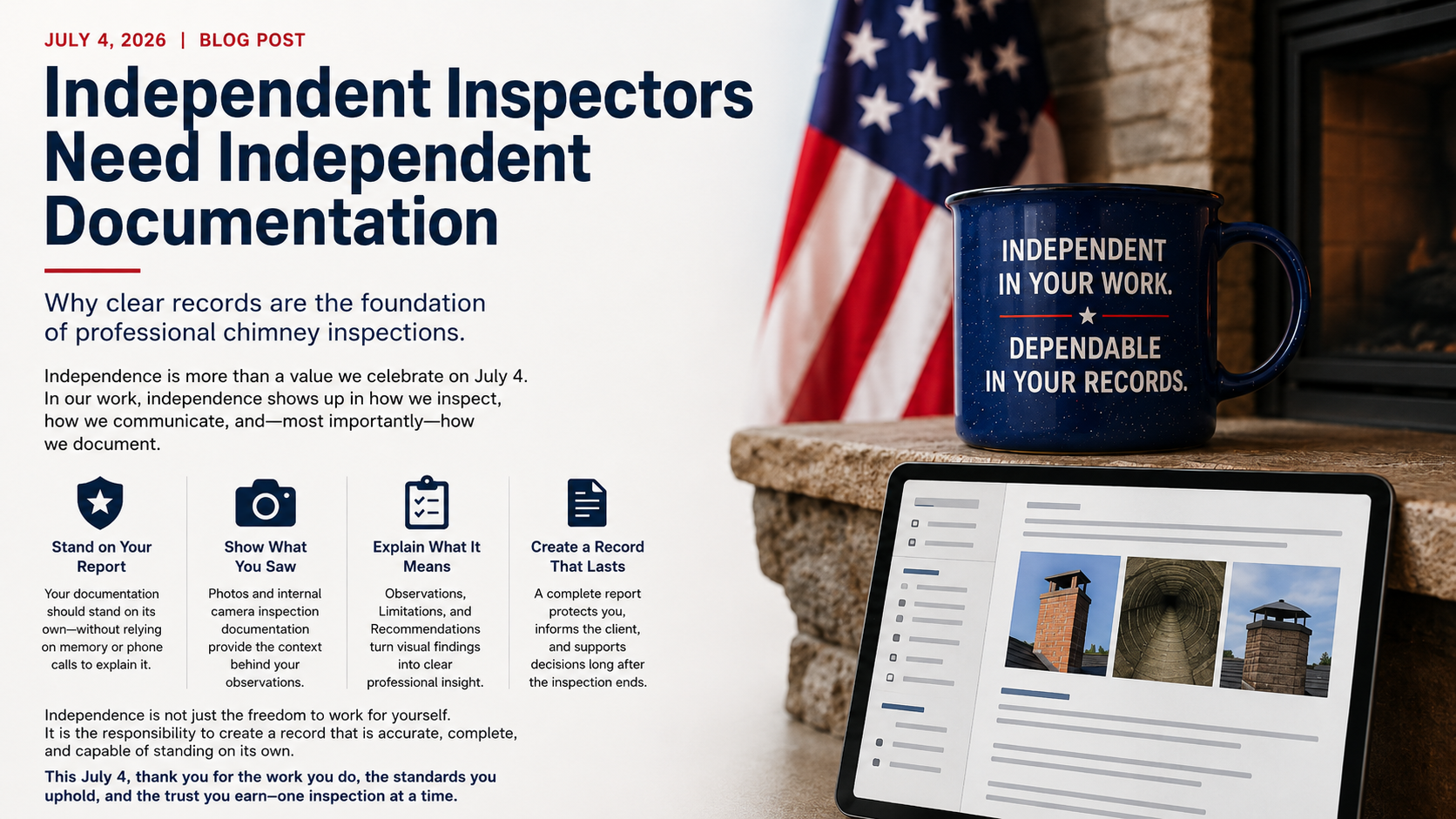
Chimney inspection report and organized photo evidence with a subtle Independence Day theme, representing documentation that stands on its own.

Independence is not only a value we celebrate on July 4.

In professional inspection work, independence also shows up in the record we create.

A chimney inspection report should not depend on the inspector being available later to explain what they meant. It should not depend on memory, a phone call, a verbal summary, a text thread, or an office reviewer trying to reconstruct the inspection from loose photos.

The report should stand on its own.

That does not mean the report answers every possible question. It does not mean every concealed condition was visible. It does not mean the inspector guarantees future performance. It does not mean software replaces training, standards, or professional judgment.

It means the report should clearly explain the inspection that was actually performed.

That distinction matters.

A Report Should Stand Without the Inspector in the Room

A professional chimney inspection report may be read long after the appointment is over.

It may be reviewed by:

  • the homeowner;
  • a buyer or seller;
  • a Realtor;
  • a property manager;
  • a contractor;
  • an insurance adjuster;
  • an AHJ;
  • an attorney;
  • another inspector;
  • a future technician;
  • the company office.

That reader may not have been present during the inspection.

They may not know what the inspector saw, what was limited, what was excluded, what was inaccessible, or why a recommendation was made.

The report has to preserve that context.

If the report only says “chimney needs repair,” the reader is left guessing.

If the report says which system was inspected, what was observed, what evidence supports the Observation, what Limitation affected the inspection, and what Recommendation follows, the report becomes more useful.

The goal is not longer reports.

The goal is clearer records.

Independence Requires Scope

A report that stands on its own begins with scope.

The reader should be able to understand:

  • what system was inspected;
  • what type of inspection was performed;
  • why the inspection was performed;
  • which areas were included;
  • which areas were excluded;
  • which areas were inaccessible;
  • which areas were limited;
  • which sections were Not Applicable;
  • which sections had Nothing to Report;
  • which Observations required Recommendations.

Without scope, the report can imply more than the inspector actually did.

That is especially important in chimney, fireplace, venting, and appliance inspections because much of the system may be concealed, inaccessible, or dependent on manufacturer instructions, listing information, or internal camera inspection.

A report that does not identify scope may appear stronger than it is.

A report that clearly documents scope is more professionally honest.

“Nothing to Report” Must Mean Something

Nothing to Report is useful language only when it is used carefully.

It should mean:

The section was included and observed within the applicable scope, and no reportable Observed Condition was documented.

It should not mean:

  • skipped;
  • forgotten;
  • inaccessible;
  • excluded;
  • outside the agreed scope;
  • hidden by construction;
  • unsafe to access;
  • not applicable;
  • not inspected.

That distinction is part of independent documentation.

A future reader should be able to tell whether a section was actually observed and had Nothing to Report, or whether the section could not be evaluated.

If the report does not make that distinction, the report depends on the inspector’s memory.

That is not strong documentation.

Photos Should Support the Record

Photos can make a report stronger.

They can also make a report confusing.

A photo without context may show a condition, but not explain:

  • which system it belongs to;
  • where it was taken;
  • what the image shows;
  • whether it documents an Observation or a Limitation;
  • whether it represents one visible area or the full extent of the condition;
  • what Recommendation follows.

A photo should not stand alone.

It should support the report record.

For example, a photo of a flue interior should be tied to the correct fireplace, chimney, vent, or appliance. It should identify the observed condition or limitation. It should explain whether the internal camera inspection of the flue was complete, limited, blocked, or otherwise restricted.

The image matters.

The context matters more.

Internal Camera Inspection Still Needs Language

Internal camera inspection is often one of the most valuable parts of chimney documentation.

But the camera does not write the report.

A report should not merely say:

Camera inspection performed.

That statement may be too thin.

A stronger record may explain:

  • which flue or vent was internally inspected;
  • where access was obtained;
  • whether the inspection was complete or limited;
  • what condition was observed;
  • what limitation affected the inspection;
  • what Recommendation followed;
  • whether further evaluation is needed.

The camera captures visual information.

The inspector documents what it means.

That is the professional work.

Observations Should Lead to Recommendations

Independent documentation also requires a clear connection between Observations and Recommendations.

The reader should not have to guess why the inspector recommended cleaning, repair, further evaluation, monitoring, use restriction, or manufacturer verification.

The logic should be traceable:

  1. System identified.
  2. Scope documented.
  3. Evidence captured.
  4. Observation stated.
  5. Limitation documented when applicable.
  6. Recommendation provided.
  7. Report reviewed before delivery.

That structure does not remove professional judgment.

It protects it.

The inspector still evaluates the actual system. The inspector still decides what the observed condition means. The inspector still determines whether the Recommendation should be cleaning, repair, replacement, further evaluation, monitoring, or no reportable action.

The software should not make those decisions for the inspector.

It should help preserve them.

Independence Does Not Mean Working Alone

Independent documentation does not mean isolated documentation.

In many companies, the office reviews reports. A supervisor may review complex Observations. A senior inspector may help with language. A future technician may return to the property. A client may call with questions.

That collaboration can be useful.

But the report should not require reconstruction.

The office should review the report, not rebuild the inspection.

A supervisor should be able to evaluate the documented record, not ask the technician to explain every loose photo.

A future technician should be able to understand what was observed, what was limited, and what was recommended.

That is the difference between a report that exists and a report that stands.

Why This Matters for Home Inspectors

Home inspectors also need independent documentation.

A general home inspection may include visible fireplace and chimney Observations. That does not automatically mean a Level I or Level II chimney inspection was performed.

If the home inspector is not performing a chimney-specific inspection, the report should make that boundary clear.

A defensible report may say:

Readily visible portions of the fireplace and chimney were observed as part of the general home inspection. The interior of the flue and concealed portions of the chimney system were not evaluated. Further evaluation by a qualified chimney or fireplace professional is recommended before use.

That language does not overstate the inspection.

It preserves the boundary.

That is independent documentation.

Why This Matters for Chimney Companies

Chimney companies also benefit from reports that stand on their own.

When reports are vague, the company becomes dependent on the technician’s memory.

When reports are inconsistent, the office spends more time clarifying.

When photos are disconnected, the client may not understand the Recommendation.

When Limitations are implied instead of stated, the report can appear to cover more than it did.

When Nothing to Report is used incorrectly, the company may unintentionally hide the difference between “observed with no reportable condition” and “not evaluated.”

Strong documentation reduces those problems.

It gives the company a record it can stand behind.

How InspectionFire Supports Independent Documentation

InspectionFire is built around guided chimney, fireplace, venting, and appliance documentation.

The goal is not just to produce a professional-looking PDF.

The goal is to help the inspector preserve the inspection record before the report is generated.

That means documenting:

  • system identity;
  • inspection scope;
  • inspection level;
  • reason for inspection;
  • included areas;
  • excluded areas;
  • Not Applicable sections;
  • inaccessible areas;
  • Limitations;
  • Nothing to Report;
  • Observations;
  • Observed Conditions;
  • photo documentation;
  • internal camera inspection documentation;
  • Recommendations;
  • final report review.

This structure helps the final report stand on its own.

It does not replace the inspector.

It helps the inspector communicate clearly.

A July 4 Reminder for Inspection Professionals

Independence in inspection work is not only about working for yourself.

It is about creating a record that can stand without you standing next to it.

A strong report should not depend on memory.

It should not depend on a phone call.

It should not depend on the office reconstructing the inspection later.

It should document what was inspected, what was observed, what was limited, what was not applicable, what had Nothing to Report, and what was recommended.

That is professional independence in written form.

Bottom Line

Independent inspectors need independent documentation.

A chimney inspection report should stand on its own.

It should identify the system, preserve the scope, document evidence, separate Observations from Nothing to Report, explain Limitations, and connect Recommendations to Observed Conditions.

That is not just better writing.

It is better professional practice.

See the Difference. Schedule a Walkthrough.

InspectionFire helps chimney, fireplace, venting, and inspection professionals create reports built around system identity, scope, evidence, Observations, Limitations, Recommendations, Nothing to Report, and final report review.

Schedule a walkthrough to see how the workflow supports clearer inspection documentation.

FAQ

What is independent chimney inspection documentation?

Independent chimney inspection documentation is a report record that can stand on its own after the inspection. It should explain the system, scope, access, Observations, Limitations, Recommendations, and supporting evidence without relying on the inspector’s memory or verbal explanation.

Why should a chimney inspection report stand on its own?

A report may be reviewed later by clients, Realtors, insurers, AHJs, attorneys, office staff, contractors, or future technicians. It should preserve enough context for those readers to understand what was inspected and what was recommended.

Is a photo enough to document a chimney inspection?

No. A photo should be tied to the system, location, observed condition, limitation, and recommendation it supports. A disconnected photo can create confusion.

What should Nothing to Report mean?

Nothing to Report should mean the section was included and observed within the applicable scope, and no reportable Observed Condition was documented. It should not mean inaccessible, excluded, skipped, or not applicable.

Why is internal camera inspection documentation important?

Internal camera inspection can provide important visual information, but the report still needs to identify which flue or vent was inspected, whether access was complete or limited, what was observed, and what recommendation follows.

Does software replace professional judgment?

No. Software should organize and preserve professional judgment. The inspector still evaluates the system, interprets Observations, documents Limitations, and makes Recommendations.

How does InspectionFire support independent documentation?

InspectionFire supports guided workflows that help inspectors document system identity, scope, access, photo evidence, internal camera inspection information, Observations, Limitations, Recommendations, Nothing to Report, and professional report output.

Why is this topic relevant on July 4?

Independence Day is a useful reminder that professional independence includes responsibility. For inspectors, that responsibility includes creating clear records that stand on their own.

Posted on

Chimney Inspection Software for Multi-Technician Companies: Consistency Without Copy-Paste Reports

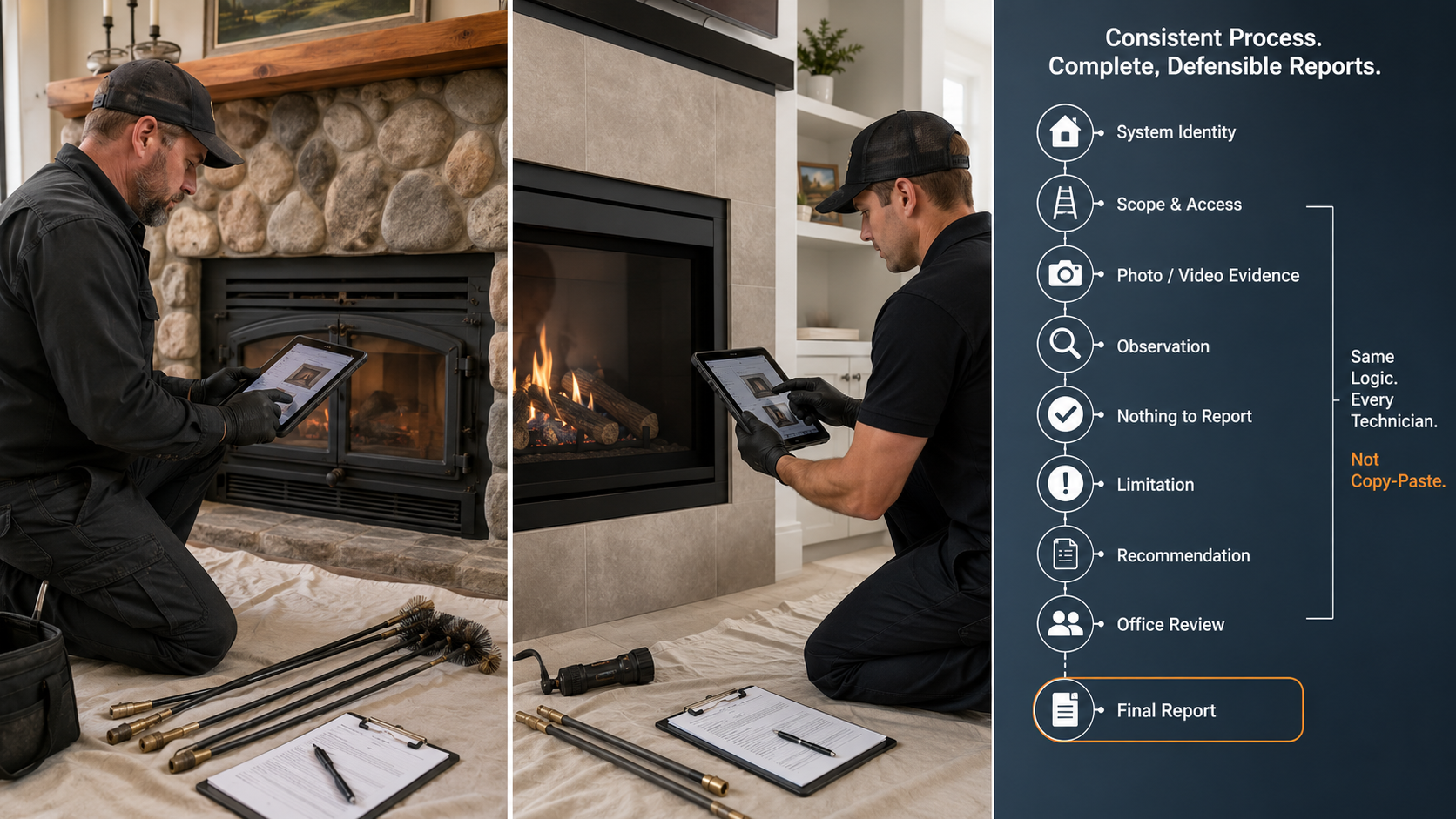
Two fireplace inspectors using the same guided inspection workflow to document separate systems with consistent Observations, Limitations, Recommendations, and final report review.

A multi-technician chimney company does not need every inspector to sound like the same person.

It does need every report to follow the same professional logic.

That distinction matters.

A good inspection report should reflect the technician’s actual observations, the actual system inspected, the actual access available, and the actual limitations encountered. But the company should not have one technician documenting a masonry fireplace one way, another documenting a factory-built fireplace another way, and a third uploading photos into a disconnected gallery with unclear recommendations.

That is not professional variation.

That is documentation drift.

For chimney, fireplace, venting, and appliance inspections, software should not merely help technicians write faster. It should help the company document inspections consistently without turning professional judgment into a copy-paste exercise.


Consistency Does Not Mean Identical Reports

Report consistency is often misunderstood.

Some companies hear “standardized reporting” and think it means every technician must use identical canned language regardless of the site conditions.

That is not the goal.

Professional consistency means the report follows a repeatable structure:

  • the system is identified clearly;
  • the inspection level or scope is stated;
  • the reason for inspection is documented;
  • applicable sections are included;
  • non-applicable sections are marked appropriately;
  • inaccessible or limited areas are not silently skipped;
  • photos and video evidence are tied to the correct system;
  • observations are stated clearly;
  • recommendations follow logically from the observed conditions;
  • “Nothing to Report” is used only where it actually applies.

That structure can be consistent while still allowing the technician to document the field reality.

The goal is not to make every report identical.

The goal is to make every report understandable, complete within its scope, and defensible.


The Real Problem: Technician Variation

In a single-inspector company, reporting habits may live in one person’s head.

In a multi-technician company, those habits become operational risk.

One technician may document limitations carefully. Another may only document defects. One may attach every photo to the correct system. Another may upload all photos at the end. One may write clear recommendations. Another may use vague phrases like “needs repair” without explaining what condition supports that recommendation.

Common variation includes:

  • different names for the same system;
  • inconsistent Level I and Level II language;
  • missing reason-for-inspection details;
  • inconsistent use of photos;
  • unclear separation between multiple fireplaces or flues;
  • skipped sections without status language;
  • “Nothing to Report” used where the area was actually inaccessible;
  • recommendations not tied to observed conditions;
  • office staff forced to interpret field notes after the technician leaves.

This variation creates more than formatting problems.

It affects client understanding, office review, repair planning, referral quality, insurance communication, and professional credibility.


What Chimney Inspection Software Should Standardize

A strong chimney inspection workflow should standardize the structure of the inspection record.

That does not mean the software should dictate the conclusion. It means the software should require the technician to document the right categories of information before the report is finished.

At minimum, the workflow should standardize:

  1. System identity
    The report should identify the fireplace, chimney, vent, flue, appliance, or connected system being inspected.
  2. Inspection level or scope
    The report should state whether the work was Level I, Level II, limited visual, consultation, post-event evaluation, repair follow-up, or another defined service.
  3. Reason for inspection
    The reason matters. Annual use, real estate transfer, appliance change, performance complaint, chimney-fire concern, insurance review, or repair planning can create different documentation expectations.
  4. Section status
    Sections should not simply disappear. A section may be included, excluded, limited, inaccessible, not applicable, or marked Nothing to Report.
  5. Observations and Observed Conditions
    When a reportable condition exists, the software should help the technician place it in the correct system and section.
  6. Photo and video evidence
    Visual evidence should stay attached to the correct system, section, observation, limitation, or recommendation.
  7. Recommendations
    Recommendations should be practical next steps tied to the observed condition and inspection scope.
  8. Final review
    The technician or office reviewer should be able to review the report before delivery without reconstructing the inspection from loose notes and photos.

That is the difference between a report writer and an inspection workflow.


What Should Not Be Standardized

Not every part of the inspection should be reduced to a fixed answer.

A professional chimney inspection still requires judgment.

Software should not pretend that every masonry fireplace, factory-built fireplace, wood stove, gas insert, pellet appliance, furnace vent, boiler vent, or dryer vent follows the same path.

The software should not force a false conclusion.

It should not require a technician to mark a section as “acceptable” when the better answer is:

  • limited;
  • inaccessible;
  • excluded;
  • not applicable;
  • further evaluation recommended;
  • observed condition documented;
  • Nothing to Report.

The best workflow gives the technician enough structure to avoid omissions and enough flexibility to document field reality.

That is especially important in older homes, resort properties, multi-flue chimneys, shared chases, concealed construction, missing labels, restricted roof access, snow/ice conditions, and systems with prior repairs or modifications.


System Identity Comes First

Many report problems begin before the technician writes the first observation.

They begin when the report does not clearly identify the system.

A property may have:

  • a living-room masonry fireplace;
  • a primary-bedroom factory-built fireplace;
  • a basement wood stove;
  • a furnace vent;
  • a gas fireplace insert;
  • a pellet appliance;
  • multiple flues in one masonry chimney;
  • multiple factory-built systems in a common chase.

If the software treats all fireplace and chimney information as one general section, the report can become ambiguous.

Which flue was scanned?

Which appliance was connected?

Which fireplace had the observed condition?

Which recommendation applies to which system?

Which photos belong to which chimney?

A multi-technician company cannot rely on memory or office interpretation to answer those questions later. The workflow should require system identity before observations, photos, limitations, and recommendations are added.

That one step improves the entire report.


Observations, Observed Conditions, Nothing to Report, and Limitations

InspectionFire terminology should support the actual inspection decision.

A section should not have only two choices: “defect” or “no defect.”

That is too crude for chimney documentation.

A better structure includes:

  • Observation: something the inspector observed and documented in the report;
  • Observed Condition: a physical or technical condition documented in the system;
  • Nothing to Report: the section was included and observed within the applicable scope, but no reportable condition was documented;
  • Limitation: the section was included or applicable, but visibility, access, safety, configuration, debris, construction, weather, or scope restricted the inspection;
  • Inaccessible: the section could not be accessed under the conditions present;
  • Not Applicable: the section does not apply to the system;
  • Excluded: the section was outside the agreed scope or intentionally excluded.

This vocabulary matters.

“Nothing to Report” should not be used when the technician did not inspect the area.

If the area was not inspected, the report should say why.

That is not just better writing. It is better documentation.


Photo and Video Evidence Must Stay Connected

Photo documentation is one of the clearest places where multi-technician variation shows up.

Some technicians take too few photos.

Some take many photos but do not label them.

Some photograph every observed condition but forget limitation photos.

Some capture chimney-camera footage but do not tie still images to the correct system or recommendation.

Some document a general image scan but do not state whether the scan was complete, limited, blocked, or only partially performed.

The problem is not merely how many photos are taken.

The problem is whether the photo evidence remains connected to the inspection record.

A strong workflow should help the technician connect photo and video evidence to:

  • the system;
  • the section;
  • the location;
  • the observed condition;
  • the limitation;
  • the recommendation;
  • the final report.

A photo without context may look useful, but it can still leave the client, office, Realtor, insurer, or future technician guessing.


Office Review Should Not Reconstruct the Inspection

In many companies, the office becomes the hidden report-quality department.

That may be necessary.

But the office should not have to reconstruct the inspection from scratch.

If the field workflow is weak, the office reviewer may have to determine:

  • which photos belong to which system;
  • whether the technician inspected the attic;
  • whether an internal chimney camera inspection was completed;
  • whether a section was skipped or not applicable;
  • whether a recommendation was intentional;
  • whether the report should restrict use;
  • whether a client question requires a callback to the technician.

That costs time and creates risk.

A better software workflow allows the technician to document the inspection correctly in the field, then allows the office to review, polish, and approve the report.

The office should be checking the report.

It should not be rebuilding the inspection.


Why This Matters in Level I and Level II Workflows

Level I and Level II inspections are especially sensitive to report consistency because the inspection level affects the access threshold and documentation expectations.

A Level I inspection and a Level II inspection should not be treated as two generic forms.

The better question is:

Given this system, this reason for inspection, this inspection level, and these site conditions, which sections apply, which sections were inspected, which sections were limited, and which recommendations follow?

That is a workflow question.

A Level II inspection may include accessible attic, crawlspace, basement, roof, appliance-connection, chimney-exterior, chimney-interior, and internal image-scanning considerations where applicable and possible. But it still does not mean every concealed area is automatically evaluated or that every scan is complete regardless of access, geometry, debris, offsets, or safety.

For a multi-technician company, this matters because Level II language must remain consistent.

One technician should not imply that all concealed areas were evaluated while another clearly states access limitations. One should not call an internal camera inspection a complete inspection when another properly documents what was scanned, what was not scanned, and what limited the scan.

The company needs a shared framework.


Why This Matters for Home Inspectors Adding Chimney Services

Home inspectors face a separate consistency problem.

A general home inspection may include visible fireplace and chimney observations. That does not automatically mean the inspector performed a chimney-specific Level I or Level II inspection.

If a home inspection company adds chimney inspections as an ancillary service, the report workflow has to become more formal.

The inspector should be able to separate:

  • general visible fireplace observations;
  • chimney referral recommendations;
  • limited visual fireplace notes;
  • Level I chimney inspection work;
  • Level II chimney inspection work;
  • image-scanning documentation;
  • inaccessible or excluded areas;
  • recommendations before use or before closing.

That separation is important because the reader should not be left guessing whether the inspector merely observed a visible condition or performed a chimney-specific inspection.

For multi-inspector home inspection companies, this is even more important. One inspector’s fireplace note should not imply a Level II chimney inspection when another inspector correctly recommends further evaluation by a qualified chimney professional.

Software should help maintain that boundary.


How InspectionFire Supports Team Consistency

InspectionFire is built around guided chimney, fireplace, venting, and appliance documentation.

For multi-technician companies, the value is not just faster report writing.

The value is a repeatable inspection workflow.

InspectionFire helps standardize:

  • system setup;
  • inspection level;
  • inspection reason;
  • guided sections;
  • photo and video documentation;
  • Observations;
  • Observed Conditions;
  • Nothing to Report;
  • Limitations;
  • Recommendations;
  • final PDF report output;
  • team-wide report consistency.

That does not remove professional judgment.

It organizes it.

A technician still has to inspect the actual system, evaluate the actual condition, and document the actual limitation. The software simply makes it harder for important information to be missed, buried, skipped, or separated from the final report.

That is the difference between using software as a typing tool and using software as an inspection system.


Bottom Line

Multi-technician chimney companies do not need copy-paste reports.

They need consistent inspection logic.

The report should identify the system, define the scope, document access, preserve evidence, distinguish Nothing to Report from limitations, state observations clearly, and connect recommendations to observed conditions.

That is not just an efficiency issue.

It is a professional documentation issue.

The stronger the workflow, the less the company depends on memory, habit, or office reconstruction after the job.

Consistency does not mean every technician becomes identical.

It means every technician documents the inspection in a way the company can stand behind.


See the Difference. Schedule a Walkthrough.


FAQ

What is the best chimney inspection software for multi-technician companies?

The best chimney inspection software for a multi-technician company is not just a report writer. It should help standardize system setup, inspection level, photo documentation, Observations, Observed Conditions, Nothing to Report, Limitations, Recommendations, and final report output across the team.

Why do chimney inspection reports vary so much between technicians?

Reports vary when each technician uses different wording, different photo habits, different section status language, and different recommendation logic. A guided workflow reduces that variation by giving every technician the same reporting structure.

Does standardized reporting remove professional judgment?

No. Proper standardization organizes professional judgment. The technician still evaluates the actual system and documents the actual observed conditions. The software should standardize the structure, not force a false conclusion.

What should “Nothing to Report” mean in chimney inspection software?

“Nothing to Report” should mean the section was included and observed within the applicable scope, but no reportable observed condition was documented. It should not be used for areas that were inaccessible, excluded, limited, or not applicable.

Why is system identity important in chimney inspection reports?

System identity prevents confusion when a property has multiple fireplaces, chimneys, vents, flues, or appliances. Observations, limitations, photos, and recommendations should be tied to the correct system.

Can general home inspection software handle chimney inspections?

General home inspection software may work for visible fireplace notes and referral recommendations. A chimney-specific inspection usually requires a more specific workflow for inspection level, system type, flue documentation, image scanning, limitations, and recommendations.

Why does photo evidence need to be tied to the inspection workflow?

Photo evidence is stronger when it is connected to the correct system, location, observed condition, limitation, and recommendation. A disconnected photo gallery can leave the reader guessing what the image shows and why it matters.

How does InspectionFire help standardize reports across technicians?

InspectionFire uses guided chimney, fireplace, venting, and appliance workflows to help technicians document systems, inspection levels, evidence, Observations, Limitations, Recommendations, and final PDF reports more consistently.

Posted on

What to Look for in a Chimney Inspection Software Demo: Workflow Before the Report

Chimney inspection software demo showing guided workflow from system identity and evidence capture to observations, limitations, recommendations, and final report.

A chimney inspection software demo should not begin and end with the final PDF.

The report matters. It is what the client sees. It is what the office stores. It is what may later be reviewed by a Realtor, insurer, attorney, AHJ, repair technician, or another chimney professional.

But the report is only the output.

The more important question is what happened before the report was generated.

Did the software guide the inspection?
Did it identify the system?
Did it preserve the scope?
Did it separate Observations from Nothing to Report?
Did it document Limitations clearly?
Did it connect photo and video evidence to the correct location and recommendation?

A polished report can still be weak if the workflow that created it was incomplete.

That is why anyone evaluating a chimney inspection software demo should look beyond formatting, logos, signatures, and page layout.

The real test is whether the software supports professional inspection logic before the report is produced.


A Good Demo Should Not Start With the Final PDF

Most demos eventually show the finished report.

That is useful, but it should not be the first thing you evaluate.

A PDF can look clean while still hiding workflow problems. It may contain photos, but not explain where they were taken. It may list recommendations, but not connect them to Observed Conditions. It may include a Level II label, but not show what was accessible, inaccessible, limited, excluded, or not applicable.

A strong demo should show the inspection being built.

Watch for the steps before the output:

  • System setup;
  • Inspection reason;
  • Inspection level;
  • Included and excluded areas;
  • Access conditions;
  • Photo and video capture;
  • Observations;
  • Observed Conditions;
  • Nothing to Report;
  • Limitations;
  • Recommendations;
  • Final review.

If the demo jumps straight from “select a template” to “generate report,” ask what happened in between.

That is where the inspection record is either strengthened or weakened.


First Question: Does the Software Understand Chimney Systems?

Chimney and fireplace inspections are not generic property checklists.

A property may have one masonry fireplace, three factory-built fireplaces, a wood stove, a gas insert, a furnace vent, a boiler vent, a dryer vent, multiple flues in one chimney, or multiple systems in a common chase.

The demo should show how the software identifies each system separately.

A report should not leave the reader guessing:

  • which flue was scanned;
  • which fireplace had the Observed Condition;
  • which appliance the connector photo belongs to;
  • which chimney the recommendation applies to;
  • which system was included, excluded, or limited.

This is one of the clearest differences between chimney-specific software and generic report-writing tools.

Generic tools may let an inspector upload photos and write notes. A chimney-specific workflow should help the inspector connect those notes and photos to the correct fireplace, chimney, vent, flue, appliance, or component.

If the demo cannot clearly separate multiple systems, the final report may become ambiguous.


Watch How the Demo Handles Inspection Scope

Inspection scope should not be decorative language at the top of the report.

It should affect the workflow.

During a demo, look for how the software handles:

  • Level I inspections;
  • Level II inspections;
  • limited visual inspections;
  • repair follow-up inspections;
  • post-event evaluations;
  • home inspector chimney referrals;
  • system-specific exclusions;
  • inaccessible areas;
  • client-requested scope limits.

A Level I inspection and a Level II inspection should not simply be two different report titles.

The software should help document what was actually included under the inspection scope. NFPA-related public committee material distinguishes between Level I readily accessible scope and Level II accessible-area scope, including image-scanning expectations for accessible internal flue surfaces where needed.

That does not mean software performs the inspection.

It means the software should help the technician document the inspection accurately.

If the demo shows Level I or Level II only as a dropdown field, that is not enough.

The better demo shows how that selection changes the questions, sections, documentation expectations, and report review.


Look for System Identity Before Photos

Photo documentation is one of the easiest places for software to look better than it is.

Almost every inspection app can hold photos.

That is not the same as inspection photo documentation.

During the demo, ask:

  • Where does the photo go?
  • Which system does it belong to?
  • What location does it document?
  • Does it support an Observation, Limitation, or Recommendation?
  • Can it be connected to an image scan?
  • Can the office reviewer understand it later?
  • Does the final report explain what the image means, or why it matters?

A disconnected photo gallery is not enough.

A chimney inspection photo should be part of the inspection record, not an attachment at the end of the job.

The goal is not more pictures; the goal is clearer evidence.


Look for Observations, Not Loose Notes

A good inspection workflow should distinguish between casual notes and reportable Observations.

That distinction matters.

A technician may write many field notes during an inspection. Not all of them belong in the final report. Some are reminders. Some are measurements. Some are job-planning notes. Some are client communication details. Some are reportable Observed Conditions.

The software should help the technician organize those pieces.

A strong demo should show how an Observation is created, where it lives, how it connects to evidence, and how it supports a Recommendation.

The stronger chain is:

System identified → area inspected or limitation documented → evidence captured → Observation stated → Recommendation provided.

The weaker version is:

Photo uploaded → note typed → report generated.

That second workflow may be faster, but it is not necessarily defensible.


Look for “Nothing to Report” Without Hiding Limitations

This is one of the most important demo details.

A section with Nothing to Report is not the same as a section that was skipped.

Nothing to Report should mean:

The section was included and observed within the applicable scope, and no reportable Observed Condition was documented.

It should not mean:

  • not inspected;
  • inaccessible;
  • excluded;
  • not applicable;
  • forgotten;
  • outside scope;
  • hidden by construction;
  • blocked by debris;
  • unsafe to access.

During the demo, look for how the software handles section status.

A strong workflow should distinguish:

  • Observation;
  • Nothing to Report;
  • Limitation;
  • Inaccessible;
  • Not Applicable;
  • Excluded;
  • further evaluation recommended.

If the demo only shows “pass/fail,” “defect/no defect,” or “satisfactory/unsatisfactory,” ask how the software documents uncertainty, limited access, and non-applicable sections.

That is where many reports become too confident.


Look for Camera and Image-Scanning Documentation

A chimney camera can capture valuable visual information.

But the camera is not the inspection by itself.

The demo should show how camera or video evidence is documented inside the report workflow. For Level II-type workflows, this matters because public NFPA committee material refers to examining accessible internal flue surfaces with image scanning equipment or more advanced technological viewing systems where needed to observe those areas.

A strong software demo should show how the inspector records:

  • which flue or vent was scanned;
  • whether the scan was from the top, bottom, or both;
  • whether the scan was complete;
  • what limited the scan;
  • which still images support the Observation;
  • which video or image evidence belongs to the final report;
  • whether further evaluation, cleaning, repair, or use restriction is recommended.

Be cautious with any demo that treats “camera used” as the entire documentation.

The report should explain what the camera evidence means.


Look for Level I and Level II Workflow Control

Level I and Level II are not just labels.

They are scope-control decisions.

A demo should show how the software helps the technician document:

  • reason for inspection;
  • inspection level;
  • system type;
  • connected appliances;
  • accessible areas;
  • readily accessible areas;
  • inaccessible areas;
  • limitations;
  • image-scanning status;
  • Observations;
  • Recommendations.

This does not mean the software should force the same path for every system.

It should guide the inspector while still allowing professional judgment.

A masonry fireplace, factory-built fireplace, wood stove, gas insert, pellet appliance, furnace vent, boiler vent, and dryer vent do not all require identical documentation. The workflow should be structured enough to prevent missed documentation, but flexible enough to reflect the actual system.

That balance is what to look for in the demo.


Look for Home Inspector Boundary Control

Home inspectors need special attention here.

A general home inspection may include visible fireplace and chimney observations. That does not automatically mean the inspector performed a chimney-specific Level I or Level II inspection.

InterNACHI’s Standards of Practice require inspection of readily accessible and visible portions of fireplaces and chimneys, but they also state that inspectors are not required to inspect the flue or vent system or the interior of chimneys or flues.

That distinction should be visible in the software.

A good demo should show how the report separates:

  • general home inspection fireplace notes;
  • chimney referral language;
  • limited visible observations;
  • Level I chimney inspection work;
  • Level II chimney inspection work;
  • image-scanning documentation;
  • excluded or inaccessible areas;
  • recommendations before use or before closing.

If the software blurs those categories, it may create reports that imply more than was actually inspected.

That is not a formatting problem.

It is a scope problem.


Look for Office Review and Technician Consistency

For a one-person company, software may primarily save time.

For a multi-technician company, software also has to reduce variation.

During the demo, look for how the workflow supports consistency across technicians.

Ask whether the software helps standardize:

  • inspection setup;
  • terminology;
  • photo placement;
  • system naming;
  • limitation language;
  • recommendation structure;
  • report review;
  • technician accountability;
  • office access to submissions;
  • company-wide report output.

InspectionFire’s software page specifically identifies guided workflow, photo documentation, built-in checklists, professional PDF reports, multi-technician plans, office portal access, and company-wide report management as part of the platform structure.

The goal is not to make every technician sound identical.

The goal is to make the company’s documentation logic consistent.


What Not to Be Distracted By

A demo can look impressive without answering the important questions.

Do not overvalue:

  • attractive report formatting alone;
  • fast PDF generation alone;
  • large photo galleries alone;
  • generic checklist libraries;
  • vague “AI report writing” claims;
  • one-click recommendations with no supporting Observation;
  • pass/fail language without limitation handling;
  • software claims that imply compliance without qualified professional judgment.

Speed matters.

Presentation matters.

But in chimney, fireplace, venting, and appliance inspections, documentation integrity matters more.

A faster weak report is still a weak report.


What to Watch for During the InspectionFire Pro Launch Preview

The InspectionFire Pro Launch Preview is today from 3–4 PM MST.

The practical question to keep in mind during the preview is simple:

Does the workflow preserve the inspection record before the report is generated?

Watch for how the platform handles:

  • system identity;
  • guided workflow;
  • photo and video evidence;
  • Observations;
  • Observed Conditions;
  • Nothing to Report;
  • Limitations;
  • Recommendations;
  • report generation;
  • technician consistency;
  • office review.

That is the difference between a reporting tool and a professional inspection system.


Bottom Line

A chimney inspection software demo should show more than a clean report.

It should show how the inspection is controlled before the report exists.

Look for system identity.
Look for scope control.
Look for photo and video evidence tied to context.
Look for Observations, Limitations, Recommendations, and Nothing to Report.
Look for Level I and Level II workflows that respect access and actual field conditions.
Look for home inspector boundary control.
Look for team consistency without removing professional judgment.

The final PDF matters.

But the workflow matters more.

See the Difference. Schedule a Walkthrough.

InspectionFire Pro is being previewed today from 3–4 PM MST. The preview is a practical look at how guided chimney, fireplace, venting, and appliance workflows can support evidence capture, Observations, Limitations, Recommendations, technician consistency, and professional report output.


FAQ Section

What should I look for in a chimney inspection software demo?

Look for the workflow before the report. The demo should show how the software identifies systems, documents scope, captures photos or video, records Observations, separates Nothing to Report from limitations, and connects Recommendations to observed conditions.

Is a clean PDF enough to evaluate chimney inspection software?

No. A clean PDF is useful, but it does not prove that the inspection workflow was complete. The demo should show how the report was built before the PDF was generated.

Should chimney inspection software support Level I and Level II workflows?

Yes. The software should help document inspection level, reason for inspection, system type, accessible areas, inaccessible areas, limitations, image-scanning status, Observations, and Recommendations.

What is the difference between a photo upload feature and photo documentation?

A photo upload feature stores images. Photo documentation connects each image to the correct system, location, observed condition, limitation, and recommendation.

What should “Nothing to Report” mean in inspection software?

Nothing to Report should mean the section was included and observed within the applicable scope, but no reportable Observed Condition was documented. It should not be used for inaccessible, excluded, skipped, or not applicable sections.

Can chimney inspection software replace inspector judgment?

No. Software should organize professional judgment, not replace it. The inspector still evaluates the actual system, access, condition, limitations, and appropriate recommendation.

Why is home inspector scope important in fireplace and chimney reporting?

A general home inspection may include visible fireplace and chimney observations, but it usually does not include full chimney-specific inspection of flue interiors, concealed areas, or Level II-style image scanning unless that service is specifically included.

Why does system identity matter in chimney inspection software?

System identity prevents ambiguity. In homes with multiple fireplaces, chimneys, flues, vents, or appliances, every Observation, photo, limitation, and recommendation should be tied to the correct system.

Posted on

Chimney Inspection Software vs. Home Inspection Software: What Fireplace and Chimney Inspection Reports Need

Two tablets showing chimney inspection images and data with inspection probe, remote, notepad, and pen on desk

Many home inspectors already use good report-writing software.

That software may be excellent for roofing, exterior, electrical, plumbing, HVAC, interiors, appliances, structure, and general property-condition reporting. It may handle photos, comments, templates, repair-request summaries, web delivery, scheduling, and client communication.

But chimney, fireplace, hearth, and venting inspections are a different documentation problem.

A fireplace report is not just another room note. A chimney report may involve inspection level, system type, appliance type, fuel type, accessible and inaccessible areas, internal camera inspection evidence, manufacturer instructions, code-informed observations, use limitations, clearance concerns, concealed construction, and professional recommendations that may affect whether a system should be used.

That is why the better question is not:

“Can I put chimney comments into my home inspection software?”

The better question is:

“Does my software support the actual workflow required to document a chimney, fireplace, flue, vent, or appliance inspection?”

For many inspectors, the answer depends on whether they are only making a referral or whether they are performing a chimney-specific NFPA style inspection.


What Generic Home Inspection Software Does Well

Generic home inspection software is designed for broad property inspection workflows.

It is usually good at:

  • organizing inspection sections by major home system;
  • collecting photos;
  • creating deficiency comments;
  • producing client-friendly reports;
  • allowing custom templates;
  • syncing between mobile and desktop;
  • delivering reports quickly;
  • creating repair-request lists;
  • helping inspectors work efficiently through a general home inspection.

That is valuable.

For a home inspector documenting a general visual observation such as a cracked hearth tile, missing chimney cap, stained firebox, rusted damper, or referral recommendation, generic software can work well.

The inspector can add photos, write a limitation, and recommend evaluation by a qualified chimney or fireplace professional.

The problem begins when that same software is used as if it were a complete chimney inspection system.


Why Chimney and Fireplace Reporting Is Different

A chimney or fireplace inspection is not just a visual defect checklist. It is a system-based evaluation.

The report may need to identify:

  • fireplace or appliance type;
  • fuel type;
  • chimney type;
  • liner type;
  • flue serving the system;
  • inspection level;
  • accessible portions of the chimney;
  • inaccessible or concealed portions;
  • interior flue condition;
  • camera-scan limitations;
  • appliance connection details;
  • vent connector condition;
  • firebox condition;
  • smoke chamber condition;
  • hearth and hearth-extension concerns;
  • clearance-to-combustible concerns;
  • manufacturer or listing limitations;
  • use restrictions;
  • recommended next actions.

Those details do not fit cleanly into a generic “Fireplace” checkbox.

A chimney may also serve multiple appliances or contain multiple flues. A property may have a living-room masonry fireplace, a factory-built fireplace in the primary bedroom, a pellet appliance in a basement, and a furnace or boiler vent sharing the same exterior chimney structure.

A report that blends those systems together can become confusing quickly.

Chimney inspection software should separate systems clearly so that findings, photos, limitations, and recommendations are tied to the correct appliance, fireplace, chimney, vent, or flue.


The Scope Gap: Home Inspection vs. Chimney Inspection

A general home inspection is typically limited to readily accessible and visible components. A home inspector may observe the visible fireplace, hearth, damper, exterior chimney, roof penetration, cap, crown, chase cover, or connector.

That is not the same as verifying the complete chimney system.

In many general home inspection standards, the inspector is not required to evaluate the interior of flues or chimneys. That matters because some of the most important defects are hidden from normal view.

Examples include:

  • cracked/broken clay flue tile liners;
  • missing mortar between liner sections;
  • damaged smoke chamber surfaces;
  • hidden clearance to combustible issues;
  • disconnected or improper liners;
  • abandoned thimbles or openings;
  • concealed chase damage;
  • improper appliance connections;
  • corrosion/damage inside metal venting/flues;
  • prior chimney fire evidence;
  • factory-built fireplace damage not visible from the room.

A generic home inspection report can document that the system was not fully evaluated and recommend further evaluation.

A chimney inspection report must go further. It must document what was actually inspected, what was not inspected, what evidence was collected, what limitations existed, and what professional recommendation follows from those findings.


Where Generic Software Usually Falls Short

Generic software can often be customized. That does not automatically make it chimney-specific.

Common weaknesses include:

  • no true Level I / Level II workflow distinction;
  • limited system separation for multiple fireplaces, flues, or appliances;
  • weak handling of internal camera evidence;
  • no structured flue-scan limitation workflow;
  • limited chimney-specific measurement logic;
  • generic deficiency comments that do not fit chimney/fireplace systems;
  • inadequate handling of use restrictions;
  • weak linkage between observations and recommendations;
  • limited chimney-specific language for real estate, insurance, fire loss, or investigation work;
  • no built-in logic for fireplace, chimney, vent, and appliance variations.

This does not mean generic software is bad. It means it was built for a broader job.

A generic home inspection app is designed to document the house.

Chimney inspection software is designed to document the fireplace, chimney, vent, flue, appliance, and related evidence in a way that supports a more specialized conclusion.


What Chimney Inspection Software Should Document

A strong chimney inspection report should make several things clear.

1. What system was inspected

The report should identify the system clearly.

Examples:

  • Living Room Masonry Fireplace
  • Primary Bedroom Factory-Built Fireplace
  • Basement Wood Stove
  • Boiler Vent System
  • Gas Fireplace Insert
  • Pellet Appliance

The reader should not have to guess which photos or recommendations belong to which system.

2. What level of inspection was performed

The report should identify whether the inspection was Level I, Level II, Level III, limited visual, consultation, return inspection, post-fire evaluation, or another defined scope.

A Level I inspection and Level II inspection should not generate the same workflow. Access requirements are different and a professional workflow should be able to adapt to the access available and undertaken.

3. Why the inspection was performed

The report should identify the trigger or purpose.

Common reasons include:

  • annual inspection;
  • real estate transfer;
  • appliance change;
  • liner change;
  • performance complaint;
  • water-entry concern;
  • chimney-fire concern;
  • insurance or fire-loss investigation;
  • visible deterioration;
  • client-requested documentation;
  • follow-up after repairs.

Purpose matters because it affects scope, urgency, and recommendations.

4. What was accessible

A professional report should document accessible portions of the system, including areas such as:

  • fireplace opening;
  • firebox;
  • smoke chamber;
  • damper area;
  • cleanout;
  • connector;
  • appliance connection;
  • attic;
  • crawlspace;
  • basement;
  • mechanical room;
  • exterior chimney;
  • roof area;
  • chimney crown or chase cover;
  • flue interior by camera or other image-scanning method.

5. What was not accessible

Limitations are not boilerplate filler. They are part of the professional record.

Examples include:

  • roof not accessed due to safety conditions;
  • attic access unavailable;
  • snow or ice prevented exterior evaluation;
  • appliance or insert blocked internal access;
  • camera could not pass an offset;
  • heavy debris prevented complete scan;
  • chase interior concealed;
  • manufacturer label missing or unreadable;
  • finished walls concealed clearance areas.

A good report makes those limitations specific and ties them to the correct system.

6. What evidence supports the findings

The report should connect written findings to photos, screenshots, videos, measurements, or notes.

For example:

  • “Photos above show cracked clay liners throughout the upper third of the flue.”
  • “Internal camera evaluation was limited by obstruction above the smoke chamber.”
  • “Attic shows combustible material in contact with masonry chimney.”
  • “Listing information could not be verified due to corrosion.”

Evidence is what turns a report from opinion into documentation.

7. What action is recommended

The report should separate observation from recommendation.

Observation:

“The visible clay flue liner is cracked.”

Recommendation:

“Do not use the fireplace until the system is further evaluated and repaired by a qualified chimney professional.”

A generic report often combines these into a single vague statement such as “repair chimney.” A chimney-specific report should be more precise.


Level I vs. Level II: Why Workflow Matters

A Level I inspection is not simply a shorter Level II inspection. It is a different scope.

A Level I workflow applies when the system is being used under the same conditions and there are no known changes or suspected events requiring a more detailed inspection.

A Level II workflow is indicated when conditions have changed, when a property is being transferred, when an appliance or liner changes, or when an event may have affected the chimney.

Software should reflect that difference.

A Level II workflow should guide the inspector to document:

  • sale or transfer context;
  • accessible attic, crawlspace, basement, and mechanical areas where applicable;
  • connected appliance and chimney connection;
  • internal flue review using image scanning or equivalent means where accessible;
  • system limitations;
  • camera-scan limitations;
  • recommendation language tied to use, repair, further evaluation, or documentation.

A generic home inspection template may provide a “Level II” checkbox. That is not the same as a Level II workflow.


Camera Evidence Needs a Reporting Workflow

Camera equipment and reporting software should work together.

A chimney camera may capture the flue interior, smoke chamber, connector, vent, or other restricted area. But footage alone does not create a useful report.

The report still needs:

  • still images selected from the scan;
  • captions explaining what the image shows;
  • location references;
  • direction or orientation notes when useful;
  • limitations if the scan was incomplete;
  • findings tied to recommendations;
  • clear identification of which system the image belongs to.

This is where chimney-specific software matters.

The goal is not to dump every camera image into a PDF. The goal is to preserve enough evidence to support the professional conclusion.


Home Inspectors: Referral or Added Service?

Home inspectors generally have two clean options.

Option 1: Referral model

The home inspector performs the normal home inspection, documents visible fireplace/chimney concerns, states limitations, and recommends a qualified chimney/fireplace professional when appropriate.

Generic home inspection software may be sufficient for this model if the language is clear.

Example:

“Readily visible portions of the fireplace and chimney were observed. The interior of the flue and concealed portions of the chimney system were not evaluated as part of this general home inspection. A Level II chimney inspection by a qualified chimney/fireplace professional is recommended before use and before the end of the inspection contingency period.”

Option 2: Added-service model

The home inspector adds chimney inspection services as a separate ancillary service with defined scope, training, camera equipment, documentation process, insurance consideration, and chimney-specific report language.

This is where chimney inspection software becomes much more important.

If the inspector is charging separately for a more in-depth fireplace or chimney inspection, or even a full Level II chimney inspection, the report should not look like a generic fireplace subsection. It should document the chimney/fireplace system as its own professional inspection.

It is important to note that Level II inspections are very involved and there is a lot to know, document, and determine to perform them properly. Offering some middle option for home inspectors is an option to give homeowners a better glimpse of their system and have a better chance of identifying potential issues… but if a full Level II inspection is not performed it must be documented and an appropriate recommendation made. And anyone stating they are performing a Level II inspection or offering a Level II inspection service should be careful they understand the scope of a Level II inspection and be sure they complete it. Home inspectors offering Level II fireplace or chimney inspections are held accountable to the inspection standards and scope contained in the NFPA211.

Even if a home inspector performs a Level II inspection this likely does not replace the need for the chimney/fireplace professional to complete their own Level II inspection prior to necessary repairs/replacement. The chimney or fireplace specialist may still need to complete their own Level II inspection in order to scope repairs properly and assure they fulfill their professional burden of care to the customer.


Chimney Companies: CRM Software Is Not the Same as Chimney Inspection Software

Chimney companies often use field-service software for scheduling, dispatching, estimates, invoicing, payment collection, client records, and technician routing.

That is useful business software.

But chimney sweep CRM software is not automatically chimney inspection software.

A CRM may help manage the job. It may help invoice the client. It may help sell repairs. It may help track estimates.

But the inspection report still needs to document scope, system identity, access, limitations, findings, camera evidence, and recommendations.

For chimney companies performing inspections, the strongest workflow may involve both:

  • a business-management platform for scheduling and invoicing;
  • a chimney-specific inspection platform for field documentation and reporting.

Those are different jobs.


When Generic Home Inspection Software May Be Enough

Generic home inspection software may be enough when:

  • the inspector is only documenting visible fireplace/chimney observations;
  • the report clearly states limitations;
  • the inspector is not representing the work as a Level II chimney inspection;
  • the recommendation is referral-based;
  • no separate chimney inspection report is being sold;
  • the inspector is not trying to document camera-scan findings, use restrictions, or chimney-specific system evaluation.

In those situations, the key is accurate language.

The report should not imply that the flue interior, concealed chimney areas, installation details, or suitability for continued use were verified if they were not.


When Chimney-Specific Software Is the Better Fit

Chimney inspection software is the better fit when:

  • the company performs or is required to perform NFPA Level I or Level II chimney inspections;
  • the report must separate multiple systems;
  • camera documentation is part of the service;
  • technicians need guided chimney-specific workflows;
  • reports need consistent language across a team;
  • findings must be tied to recommendations;
  • limitations must be documented by system;
  • the company performs real estate, insurance, fire-loss, consulting, or expert-style inspections;
  • the company wants a defensible report rather than a generic checklist.

A chimney-specific report should help the reader understand:

  • what was inspected;
  • how it was inspected;
  • what was visible;
  • what was not visible;
  • what defects were observed;
  • what those defects may mean;
  • what action is recommended;
  • whether use should be discontinued until corrected or further evaluated.

That is the real difference.


How InspectionFire Fits This Workflow

InspectionFire is built for chimney, fireplace, hearth, venting, and home inspection professionals who need structured inspection documentation.

It is not just a generic report writer with a chimney section added.

InspectionFire is designed to support:

  • system-based chimney and fireplace documentation;
  • inspection level selection;
  • guided workflows;
  • photo documentation;
  • camera evidence workflows;
  • measurements;
  • limitations;
  • pre-written chimney/fireplace report language;
  • consistent recommendations;
  • professional PDF report output.

For home inspectors, InspectionFire can support a move from referral-only chimney comments into a more formal ancillary-service workflow.

For chimney professionals, it can help standardize inspection reports, reduce repetitive writing, improve documentation consistency, and connect camera evidence to professional recommendations.

Chimney inspection software does not replace training, field judgment, or applicable standards… but it can augment and guide it. Good software workflow supports the documentation process so that the final report is clearer, better organized, and more useful.


Bottom Line

Generic home inspection software is useful for broad property inspections. It can document visible fireplace and chimney concerns, especially when the inspector is making a referral.

But chimney inspection software is different.

It should support the actual chimney/fireplace workflow: system identification, inspection level, access, limitations, camera evidence, observations, recommendations, and report output.

If you are only noting visible fireplace conditions during a general home inspection, generic software may be adequate.

If you are performing chimney, fireplace, flue, venting, or Level II-style documentation, use software built for that work.

The report should match the inspection.


FAQ

Can I use home inspection software for chimney inspections?

You can use home inspection software to document visible fireplace and chimney observations during a general home inspection. But if you are performing a chimney-specific inspection, especially a Level II-style inspection, chimney inspection software is usually a better fit because it supports system identity, camera evidence, limitations, and chimney-specific report language.

What is the difference between chimney inspection software and home inspection software?

Home inspection software is built for broad property inspections. Chimney inspection software is built for fireplace, chimney, venting, appliance, flue, camera, and inspection-level documentation. The difference is the workflow, not just the final PDF.

Is generic inspection software enough for a Level II chimney inspection?

Usually not by itself. A Level II chimney inspection requires a more specific workflow than a generic fireplace comment section. The report should document inspection scope, accessible areas, limitations, internal image scanning or equivalent visual review, observed conditions, and professional recommendations.

Why does chimney camera documentation need software?

Camera footage is useful only if it becomes clear report evidence. Software should help the inspector attach still images, captions, locations, limitations, and recommendations to the correct system.

Can home inspectors offer chimney inspections as an ancillary service?

Yes, but they should have appropriate training, equipment, scope language, insurance consideration, and reporting workflows. A chimney inspection should be presented as a defined service, not implied as part of a basic visual home inspection unless that is actually the agreed scope.

What should chimney inspection software include?

It should include system-based documentation, inspection level selection, access and limitation notes, photo and camera evidence, measurements, observation language, recommendation language, use-restriction language, and professional report output.

Is chimney sweep software the same as chimney inspection software?

Not necessarily. Chimney sweep or field-service software may handle scheduling, dispatching, invoices, estimates, payments, and customer management. Chimney inspection software focuses on documenting the inspection itself


Schedule a Demo to Explore Chimney Inspection Software

Posted on

360° Chimney Inspection Camera vs Borescope: What Professionals Should Know


A cheap borescope can be useful around a fireplace, appliance cavity, smoke shelf, cleanout, or other tight-access area. But that does not make it the best primary tool for professional chimney inspection documentation.

For chimney, fireplace, hearth, and venting professionals, the real question is not simply:

“Can this camera see inside the chimney?”

The better question is:

“Can this camera help me produce clear, reviewable, defensible visual evidence for the inspection report?”

That is where the difference between a small borescope and a purpose-built 360° chimney inspection camera workflow becomes important.

The Short Answer

A borescope is a useful utility camera, however it is not specifically suited to run up through a chimney and capture all the necessary data.

A 360° chimney inspection camera is usually a better fit when the goal is broad flue-wall documentation, later report review, and consistent visual evidence.

That does not mean a 360° camera replaces every other inspection tool. It also does not mean a borescope has no place in the truck, or during an inspection. The two tools serve different purposes.

For most professional chimney documentation workflows:

NeedBetter fit
Quick look inside a small cavity or other inaccessible areaBorescope
Openings too small for larger inspection cameras or phones to fit into or focus onBorescope
Broad interior flue documentation, smoke chamber, smoke shelf, chase interiors with large enough access points360° chimney inspection camera
Level II-style chimney documentation360° camera or other suitable image-scanning system
Controlled live directional viewing360° camera or pan-and-tilt chimney camera
Report evidence that can be reviewed later360° camera workflow

The borescope is a quick-access tool. The 360° chimney camera is a documentation tool.

What a Borescope Does Well

A borescope, endoscope, or small inspection camera can be valuable in chimney and fireplace work when access is limited and the inspection target is narrow.

Examples include:

  • looking between gaps/cracks in facing materials or components;
  • checking behind or around appliance components;
  • looking behind electronics or entering concealed areas using wiring boxes/outlets/etc;
  • checking a confined area before disassembly;
  • documenting a specific visible concern at close range.

Borescopes are inexpensive, portable, and easy to keep in a service vehicle. Many include their own lights, flexible leads, and phone or monitor connections. For basic troubleshooting and quick verification, they can be useful.

The problem starts when the borescope is treated as the main chimney inspection camera.

Where Borescopes Fall Short in Chimney Inspection Work

Inside a chimney flue, the camera geometry matters.

A small borescope usually points in one direction. If it is dropped or pushed through a flue, the operator may not know exactly which wall surface is being viewed. The camera may rub against one side, twist during movement, or miss portions of the liner. Lighting may be uneven. The image may be unstable. The resulting footage may be difficult to interpret later.

Common limitations include:

  • narrow field of view;
  • poor orientation control;
  • unstable footage;
  • lack of perspective;
  • limited ability to capture all sides of the flue;
  • inconsistent/insufficient lighting;
  • limited effective range;
  • difficulty documenting vertical position;
  • weak reporting workflow;
  • limited value for later review by the client, office, supervisor, or third party.

For a quick look, those limitations may be acceptable. For a professional inspection report, they can become a problem.

A report is only as strong as the evidence behind it. If the camera angle is inconsistent, if the footage only shows one wall, or if the image cannot be tied back to a clear inspection location, the camera has not solved the documentation problem.

What a 360° Chimney Inspection Camera Does Differently

A 360° chimney inspection camera captures a much broader visual field than a single-direction borescope. Instead of trying to point the camera perfectly at every wall surface, the camera captures the surrounding flue area for later review.

That changes the workflow.

The inspector can move the camera through the chimney while collecting broader visual evidence. Afterward, the footage can be reviewed to identify areas that need still images, report notes, recommendations, or limitations.

Key advantages include:

  • broad flue-wall capture;
  • less dependence on perfect camera aiming;
  • better reviewability after the inspection;
  • stronger visual documentation for the report;
  • practical use from the top down or bottom up depending on access and rod setup;
  • camera-platform upgradeability when using modern action-camera systems;
  • lower cost than many dedicated pan-and-tilt CCTV systems.

A 360° camera does not automatically make the inspection good. The housing, centering, lighting, rod control, camera settings, operator technique, and report workflow still matter. But when those pieces work together, a 360° chimney camera can be one of the most practical documentation tools available to a chimney or fireplace inspection business.

Level II Documentation: The Issue Is Evidence, Not Just Visibility

A Level II chimney inspection is not just a casual look into the firebox.

The inspection scope is broader. It includes accessible portions of the chimney and connected appliance, and the chimney interior must be examined using image scanning equipment or an equivalent or more advanced viewing method where needed to observe those areas.

That matters for camera selection.

The camera should help the inspector document:

  • what was visible;
  • what was not visible;
  • what portions of the system were accessed;
  • what limitations affected the inspection;
  • whether the flue interior showed visible cracks, gaps, offsets, deterioration, blockage, unused openings, or other concerns;
  • which findings were significant enough to include in the report.

For that purpose, a borescope may be too limited as the primary tool. It has its place and may help with a specific detail or getting into an otherwise inaccessible area, but it usually does not provide the same broad documentation value as a 360° chimney camera system or a dedicated chimney inspection camera system.

360° Chimney Camera vs Borescope Comparison

CategoryBorescope / endoscope360° chimney inspection camera
Best useQuick checks in small areasBroad flue documentation
Field of viewNarrowFull 360° capture
OrientationCan be difficult to controlLess dependent on perfect aiming
Documentation valueLimited for full flue reviewStronger for later review
CostUsually lowerUsually higher than a borescope but lower than many CCTV systems
Report workflowOften weakBetter suited to photo/video evidence workflows
Level II-style useSupplemental toolBetter primary documentation option
Upgrade pathUsually replace the whole unitCamera can often be replaced or upgraded separately
Best buyerHomeowner, technician, utility useChimney/fireplace professional, home inspector adding chimney services

When a Borescope Is the Right Tool

A borescope still belongs in the inspection toolkit.

Use it when the target is small, close, specific, or otherwise inaccessible. For example, a borescope can help document conditions between components/materials where separation has occurred, inside or behind damaged areas, through cracks/gaps, inside wall cavities, stuck damper area, or behind specific obstruction.

It is especially useful when:

  • the area is too small for a larger camera housing;
  • the inspection target is near the access point;
  • the question is narrow;
  • the image does not need to represent the entire flue interior;
  • the borescope is supplementing a broader inspection method.

The key is to treat the borescope as a supplemental tool, not as the entire chimney documentation system.

When a 360° Chimney Inspection Camera Is the Better Tool

A 360° chimney camera is the better fit when the goal is to document the chimney interior in a way that can be reviewed later and used in a professional report.

It is especially useful when:

  • the inspection involves a Level II-style workflow;
  • the company needs consistent photo/video evidence;
  • the inspector wants to capture more of the flue wall surface;
  • the office or report writer may review the footage later;
  • the client needs visual support for recommendations;
  • the company wants a portable alternative to a higher-cost dedicated CCTV system;
  • the inspector already uses or wants to use action-camera platforms such as GoPro or Insta360.

For many companies, this is the practical middle ground between a cheap borescope and a full dedicated pan-and-tilt inspection system.

Where Pan-and-Tilt Chimney Cameras Still Fit

A 360° camera is not the only professional option.

Traditional pan-and-tilt chimney cameras can be excellent tools. They usually provide controlled live viewing, directional camera movement, a monitor, cable or push-rod system, lighting control, and recording. For inspectors who want live directional control inside the flue, a pan-and-tilt camera may be the right tool.

The tradeoff is usually cost, equipment bulk, and workflow. Dedicated systems can be more expensive and may not integrate as easily with modern action-camera ecosystems or cloud/reporting workflows.

The practical question is not which camera is universally best. The practical question is which camera best supports the type of inspection work your company performs.

Buying Criteria for Professional Chimney Camera Documentation

Before buying a chimney inspection camera, evaluate the system against the workflow you actually need.

Ask:

  1. Can it document the full area I need to evaluate?
    A narrow view may be enough for a small cavity, but not for broad flue documentation.
  2. Can I review the evidence later?
    The camera should support report writing, not just live viewing.
  3. Can the footage be converted into useful report photos quickly and easily?
    If the footage cannot support clear still images, it may not help the report.
  4. Can the camera move through the chimney without constant snagging?
    Housing design, centering, rod control, and durability matter.
  5. Can I document limitations clearly?
    If offsets, debris, access restrictions, or geometry prevent complete viewing, the workflow should make that limitation easy to record.
  6. Can the system grow with my company?
    A camera-platform-based system may allow future camera upgrades without replacing every part of the inspection setup.
  7. Does it fit the business model?
    A company doing occasional visual checks may not need the same system as a company selling documented Level II chimney inspections.

How InspectionFire Fits This Workflow

InspectionFire camera housings and kits are built for chimney, fireplace, hearth, and venting professionals who need practical visual documentation inside real inspection environments.

The purpose is not merely to protect a camera. The purpose is to help the camera move through chimneys and vents in a way that supports usable evidence.

For inspectors using compatible GoPro or Insta360 platforms, InspectionFire systems are designed to support:

  • 360° chimney documentation;
  • single-lens inspection workflows;
  • tight-space and offset navigation;
  • low-light inspection needs;
  • report evidence collection;
  • professional inspection workflows.

A 360° action camera by itself is not a chimney inspection system. The camera needs the right housing, rod setup, lighting approach, inspection technique, and reporting process. InspectionFire focuses on that professional workflow.

Bottom Line

A borescope can be useful. It is not automatically a professional chimney inspection documentation system.

For broad chimney flue review, Level II-style documentation, and report evidence, a 360° chimney inspection camera workflow is usually the stronger choice. It gives the inspector more visual coverage, better reviewability, and a more practical path from field evidence to final report.

Use the borescope for tight, specific, close-range questions.

Use the 360° chimney camera when the inspection requires broader documentation.

And when the report needs to stand on the quality of the evidence, choose the camera workflow accordingly.

FAQ

Is a borescope good enough for a chimney inspection?

A borescope can be useful for quick checks and small-access areas, but it is usually not the best primary tool for professional chimney flue documentation. Its narrow view, orientation issues, and limited reporting workflow can make it weak for broad chimney interior review.

Is a 360° camera better than a borescope for Level II chimney inspections?

For documentation-focused inspections, a 360° chimney camera is generally a better fit than a borescope because it captures more of the flue wall surface and supports later review. A borescope may still be useful as a supplemental tool.

Can a GoPro or Insta360 be used for chimney inspections?

Yes, compatible action cameras can be used as part of a chimney inspection workflow when paired with an appropriate housing, rod setup, lighting strategy, and report process. The camera alone is not enough; the inspection system and workflow matter.

Do I still need a pan-and-tilt chimney camera?

Some companies do. Pan-and-tilt systems are useful when live directional control is the priority. A 360° action-camera workflow is often more practical when broad capture, portability, upgradeability, and later report review are the main priorities.

What should chimney camera footage show?

Useful chimney camera footage should help document accessible interior flue conditions, visible liner surfaces, joints, cracks, gaps, offsets, blockages, deterioration, unused openings, or other relevant conditions. It should also support clear limitations when portions of the system cannot be observed.

What is the biggest mistake when buying a chimney inspection camera?

The biggest mistake is buying only for image capture instead of documentation workflow. A camera must help the inspector produce useful, reviewable evidence for the report. Field of view, movement through the chimney, lighting, camera protection, and reporting process all matter.

Posted on

Home Inspector Chimney Referral Checklist: When to Recommend a Level II Inspection


A general home inspection can identify visible concerns around a fireplace, chimney, or venting system. But a general home inspection is not the same thing as a Level II chimney inspection.

That distinction matters.

Many fireplace and chimney defects are hidden inside the flue, smoke chamber, chase, attic, crawlspace, appliance connection, or concealed clearance areas. A home inspector may be able to see the firebox, hearth, damper, exterior chimney, visible roof penetration, and readily accessible portions of the system. But that does not mean the inspector has verified whether the chimney is suitable for continued use.

For that reason, a clear chimney referral checklist can protect the client, improve the inspection report, and create a better handoff to a chimney or fireplace specialist.

This article explains when a home inspector should recommend a Level II chimney inspection, what conditions should trigger a referral, and how the referral should be documented.


The Scope Problem: Home Inspection vs. Chimney Inspection

A home inspection is generally visual and limited to readily accessible systems and components. The home inspector is not usually dismantling appliances, scanning the chimney interior, verifying every manufacturer instruction, determining all clearance compliance, or performing a full NFPA 211-style chimney inspection unless that service is specifically included, the inspector is trained, and the scope has been clearly defined.

A fireplace or chimney may appear acceptable from the room and still have serious concealed concerns.

Examples include:

  • cracked or separated flue liners;
  • missing mortar joints;
  • damaged smoke chamber surfaces;
  • improperly installed liners;
  • hidden clearance issues;
  • combustible framing too close to masonry;
  • disconnected or abandoned thimbles;
  • unlisted or modified appliance installations;
  • inaccessible chase conditions;
  • improper venting connections;
  • corrosion or deterioration inside a flue;
  • prior chimney fire evidence not visible from the room.

A home inspector’s report should not imply that these concealed conditions were evaluated if they were not.

The better approach is to document visible observations, state the limitation clearly, and recommend further evaluation when conditions justify it.


What a Home Inspector Can Usually Observe

A home inspector may be able to document readily visible conditions such as:

  • fireplace type;
  • hearth and hearth extension condition;
  • visible firebox damage;
  • visible chamber deterioration;
  • damper presence and basic manual operation;
  • cleanout door presence and condition;
  • visible chimney exterior from the ground, roof edge, or accessible vantage point;
  • visible chimney cap, crown, chase cover, spark arrestor, or termination concerns;
  • staining, water entry, corrosion, efflorescence, spalling, or cracked masonry;
  • visible vent connector concerns;
  • missing smoke or carbon monoxide alarms where required by the inspection standard or local practice.

This visible documentation is valuable. It helps the client understand what was observed and gives the chimney specialist useful context.

But the report should not overstate the inspection.

A statement such as “chimney appears functional” may be too broad if the flue interior, accessible attic/crawlspace areas, appliance connection, and concealed clearances were not evaluated.

A more defensible statement is:

“Readily visible portions of the fireplace and chimney were observed as part of the general home inspection. The interior of the flue and concealed portions of the chimney system were not fully evaluated. A Level II chimney inspection by a qualified chimney/fireplace professional is recommended before use or before the end of the inspection contingency period.”


What a Home Inspector Usually Cannot Verify

The following items are commonly outside the practical scope of a general home inspection unless the inspector is specifically performing a chimney inspection service:

  • complete internal flue condition;
  • full smoke chamber condition;
  • hidden liner cracks or gaps;
  • appliance listing and installation compliance;
  • suitability for continued use;
  • chimney sizing for the connected appliance;
  • complete vent connector compliance;
  • hidden combustible clearance conditions;
  • concealed support conditions;
  • prior chimney fire damage;
  • full manufacturer-instruction compliance;
  • whether all flues in a chimney serve only the intended appliances;
  • whether abandoned openings are properly sealed;
  • whether an insert, stove, liner, or gas appliance was installed as a listed system.

These are not minor distinctions. They affect safety, liability, client expectations, and repair decisions.

The home inspector does not need to solve every chimney problem. The home inspector needs to recognize when the visible conditions, transaction context, or scope limitations justify referral.


When to Recommend a Level II Chimney Inspection

A Level II chimney inspection is commonly recommended when the conditions of use are changing, when a property is being sold, when a new appliance or liner is being installed, or when an event may have damaged the chimney or venting system.

For home inspectors, the most common trigger is simple:

The property is being sold, and the fireplace or chimney has not received a documented Level II inspection by a qualified chimney professional.

That alone is enough to justify a recommendation in many real estate workflows.

Additional referral triggers include:

  • visible damage to the fireplace, chimney, hearth, firebox, smoke chamber, or exterior masonry;
  • evidence of water damage;
  • staining, rust, corrosion, or deterioration;
  • missing, damaged, or questionable chimney cap, crown, or chase cover;
  • damaged or nonfunctional damper;
  • smoke staining or evidence of poor draft;
  • reported performance problems;
  • prior chimney fire, lightning strike, storm damage, impact, or seismic event;
  • appliance change, fuel change, liner change, or relining;
  • inserted stove or fireplace insert with limited visible installation details;
  • factory-built fireplace with missing label, corrosion, damage, or unknown replacement parts;
  • visible clearance concerns;
  • concealed or inaccessible areas that affect the inspection conclusion;
  • any system the client intends to use and whose internal condition has not been verified.

A Level II referral does not need to accuse the system of being unsafe. It can simply state that the system was not fully evaluated and that further inspection is needed before use or purchase reliance.


Home Inspector Chimney Referral Checklist

Use this checklist as a practical decision aid.

Refer for Level II inspection if any of the following apply:

Transaction or use-condition triggers

  • Property is being sold or transferred.
  • Client intends to use the fireplace or appliance after purchase.
  • Appliance, fuel type, liner, or venting configuration has changed.
  • A new appliance or liner is being considered.
  • Prior inspection history is unknown.
  • Seller cannot provide current chimney inspection documentation.

Visible damage triggers

  • Cracked firebox panels, masonry, refractory, or mortar joints.
  • Damaged hearth or hearth extension.
  • Deteriorated smoke chamber visible from the firebox.
  • Rusted damper, firebox, connector, or factory-built fireplace components.
  • Spalling brick, missing mortar, damaged crown, or failing chase cover.
  • Water staining, efflorescence, leaks, or moisture-related deterioration.
  • Displaced cap, missing cap, animal entry evidence, or debris.

Operation or performance triggers

  • Smoke rollout or staining.
  • Odor complaints.
  • Poor draft reports.
  • Creosote glaze or heavy deposits visible from accessible areas.
  • Evidence of overheating.
  • Sooting around a gas fireplace or appliance.
  • Carbon monoxide concern.
  • Prior chimney fire or suspected chimney fire.

Installation or configuration triggers

  • Fireplace insert or stove installed into a fireplace.
  • Unknown liner type or liner condition.
  • Factory-built fireplace label missing or unreadable.
  • Visible combustible material near appliance or chimney components.
  • Unusual connector routing.
  • Shared flue concerns.
  • Abandoned openings or thimbles.
  • Appliance appears modified, incomplete, or not installed according to visible listing details.

Access and limitation triggers

  • Flue interior not visible.
  • Roof access unsafe or limited.
  • Attic/crawlspace areas inaccessible.
  • Insert, stove, or appliance blocks view of key components.
  • Snow, ice, height, steep roof, or site conditions prevent evaluation.
  • Firebox contents, storage, furniture, or occupant limitations restrict inspection.

If several of these conditions are present, the report should not merely say “monitor.” It should recommend further evaluation by a qualified chimney or fireplace professional.


Why Real Estate Transactions Deserve Special Attention

Real estate inspections create a compressed decision window. Buyers, sellers, agents, and contractors may all rely on the home inspection report to decide whether more specialized evaluation is needed before closing.

That makes chimney referral language important.

A general home inspection report should not create false assurance. If the system was not fully inspected internally, that should be clear.

A strong referral statement helps the client act before the inspection objection deadline, repair negotiation, closing date, or occupancy decision.

Example:

“Because this property is being transferred and the fireplace/chimney system was not evaluated with Level II chimney inspection procedures or internal image scanning as part of this general home inspection, further evaluation by a qualified chimney/fireplace specialist is recommended before closing and before use.”

This language is direct, practical, and tied to the transaction context.


Camera Documentation and Image Scanning

A Level II chimney inspection is not just a longer visual look from the fireplace opening.

A Level II workflow typically includes internal examination of the chimney or flue using image scanning equipment or comparable means. The goal is to observe the internal surfaces and joints of the flue and document conditions that may not be visible from the firebox, appliance opening, cleanout, or chimney top.

For home inspectors, this creates two possible business models:

  1. Referral model: The home inspector does not perform Level II chimney inspections but consistently refers the client to a qualified chimney/fireplace specialist when the checklist supports referral.
  2. Added-service model: The home inspector obtains the proper training, equipment, software, procedure, and documentation workflow to offer chimney inspection services as a separate service with a clearly defined scope.

Both models can be legitimate when handled correctly.

The problem is the middle ground: implying a chimney has been fully inspected when it has not.

If the inspector does not scan the flue, does not inspect the accessible attic/crawlspace portions of the chimney, does not verify appliance installation requirements, and does not document Level II scope and limitations, the report should not be presented as a Level II chimney inspection.


Report Language Examples for Home Inspectors

The right language depends on the inspection agreement, state requirements, SOP, and company policy. These examples are starting points, not legal advice.

Basic limitation language

“Inspection of the fireplace and chimney was limited to readily visible and accessible portions. The interior of the flue, concealed portions of the chimney, appliance listing requirements, and complete suitability for use were not determined as part of this general home inspection.”

Real estate referral language

“Because this property is being sold and the fireplace/chimney system has not been documented by a current Level II chimney inspection, further evaluation by a qualified chimney/fireplace professional is recommended before closing and before use.”

Visible damage referral language

“Visible damage/deterioration was observed at the fireplace/chimney system. Because the full extent of the condition cannot be determined from readily visible areas, a Level II chimney inspection by a qualified chimney/fireplace professional is recommended before use.”

Insert or stove language

“A fireplace insert/stove is installed, limiting visibility of the original fireplace, smoke chamber, flue, and installation details. A Level II inspection by a qualified chimney/fireplace professional is recommended to evaluate the system, liner, appliance connection, and suitability for continued use.”

Unsafe or inaccessible roof language

“Roof access was not performed due to safety/access limitations. Visible portions of the chimney were observed from accessible areas only. Further evaluation by a qualified chimney/fireplace professional is recommended, including accessible exterior, interior, and flue evaluation.”

Factory-built fireplace language

“The fireplace appears to be a factory-built system. Readily visible portions were observed, but the complete listing, installation, concealed components, chimney system, and suitability for continued use were not verified. Further evaluation by a qualified fireplace/chimney professional is recommended before use.”


What the Chimney Specialist Needs From the Home Inspector

A referral becomes more useful when the home inspector documents the right context.

Include:

  • system location;
  • fireplace or appliance type;
  • visible concerns;
  • access limitations;
  • client or transaction deadline;
  • whether the system appeared active, abandoned, modified, or unused;
  • photos of visible conditions;
  • whether roof, attic, crawlspace, or mechanical areas were accessed;
  • clear statement that the flue interior was not fully evaluated if no image scanning was performed.

This helps the chimney specialist understand why the referral was made and what needs to be evaluated.

It also helps the client understand that the recommendation is not generic. It is tied to inspection scope, observed conditions, and risk.


How InspectionFire Supports This Workflow

InspectionFire is built for chimney, fireplace, venting, and home inspection professionals who need more than a generic checklist.

For home inspectors who refer chimney work, InspectionFire content and workflows can help clarify the difference between visible home inspection observations and specialized chimney documentation.

For inspectors adding chimney inspection services, InspectionFire software supports the workflow needed to document:

  • inspection level;
  • system type;
  • appliance type;
  • fuel type;
  • accessible areas;
  • limitations;
  • measurements;
  • photo evidence;
  • camera findings;
  • observations;
  • recommendations;
  • professional PDF report output.

When paired with appropriate chimney inspection camera equipment, the software helps move the inspection from field observations to organized report documentation.

The goal is not to replace training or professional judgment. The goal is to make the documentation process stronger, clearer, and more consistent.


A Referral Is Not a Failure

Some home inspectors hesitate to recommend further chimney evaluation because they do not want to appear incomplete.

That is the wrong frame.

A clear referral is part of a professional inspection process. It tells the client what was observed, what was not verified, and what should happen next.

The real risk is not making the referral when the scope or visible conditions call for one.

A well-written chimney referral protects the client from false assurance, protects the inspector from overstatement, and gives the chimney professional a clean path to complete the next level of evaluation.


Bottom Line

A home inspector does not need to perform a Level II chimney inspection on every home.

But the home inspector does need to recognize when the fireplace or chimney system deserves specialized evaluation.

Use a referral checklist when:

  • the property is being sold;
  • the client intends to use the fireplace;
  • the flue interior was not evaluated;
  • visible damage or deterioration is present;
  • access was limited;
  • the system has been modified;
  • the appliance, liner, or installation details cannot be verified;
  • prior inspection documentation is missing.

Then document the limitation clearly and recommend a qualified chimney/fireplace professional.

That is the difference between a vague disclaimer and a useful professional recommendation.


FAQ

Should home inspectors recommend a Level II chimney inspection?

Yes, when the inspection context or visible conditions justify it. Common triggers include property transfer, visible fireplace or chimney damage, unknown inspection history, limited flue visibility, appliance changes, suspected chimney fire, water damage, or installation concerns.

Can a home inspector inspect a fireplace?

A home inspector can usually inspect readily visible and accessible portions of fireplaces and chimneys within the limits of the inspection standard and agreement. That is different from a Level II chimney inspection, which involves a broader chimney-specific scope and internal image scanning or comparable means.

Is a home inspector required to inspect the flue?

A general home inspection standard may not require the inspector to inspect the flue or interior chimney system. Inspectors should follow their applicable SOP, state rules, agreement, and company policy.

What should a home inspector say when referring a chimney?

The report should identify what was visible, what was limited, why further evaluation is recommended, and when the client should obtain it. For real estate inspections, the report should often recommend evaluation before closing and before use.

Is a camera required for a Level II chimney inspection?

A Level II chimney inspection shall includes internal examination of the chimney using image scanning equipment or comparable means per NFPA 211 – the standard for chimney inspections. If the interior cannot be scanned because of access, size, offsets, obstruction, or configuration, that limitation should be documented.

Can home inspectors add Level II chimney inspections as an ancillary service?

Yes, but only with appropriate training, equipment, scope language, insurance consideration, and reporting workflow. It should be offered as a clearly defined service, not implied as part of a basic visual home inspection unless that is actually the agreed scope.

What is the safest referral language?

The safest language is specific, limited, and actionable. Avoid saying the chimney is safe or unsafe unless the evidence supports that conclusion. A better approach is to state that the system was not fully evaluated and that a Level II inspection by a qualified chimney/fireplace professional is recommended before use or closing.


Join Us: July 2nd, 2026 @ 3-4pm MST

to see the newest updates to the InspectionFire chimney inspection workflow.