Posted on

Chimney Inspection Software vs. Home Inspection Software: What Fireplace and Chimney Inspection Reports Need

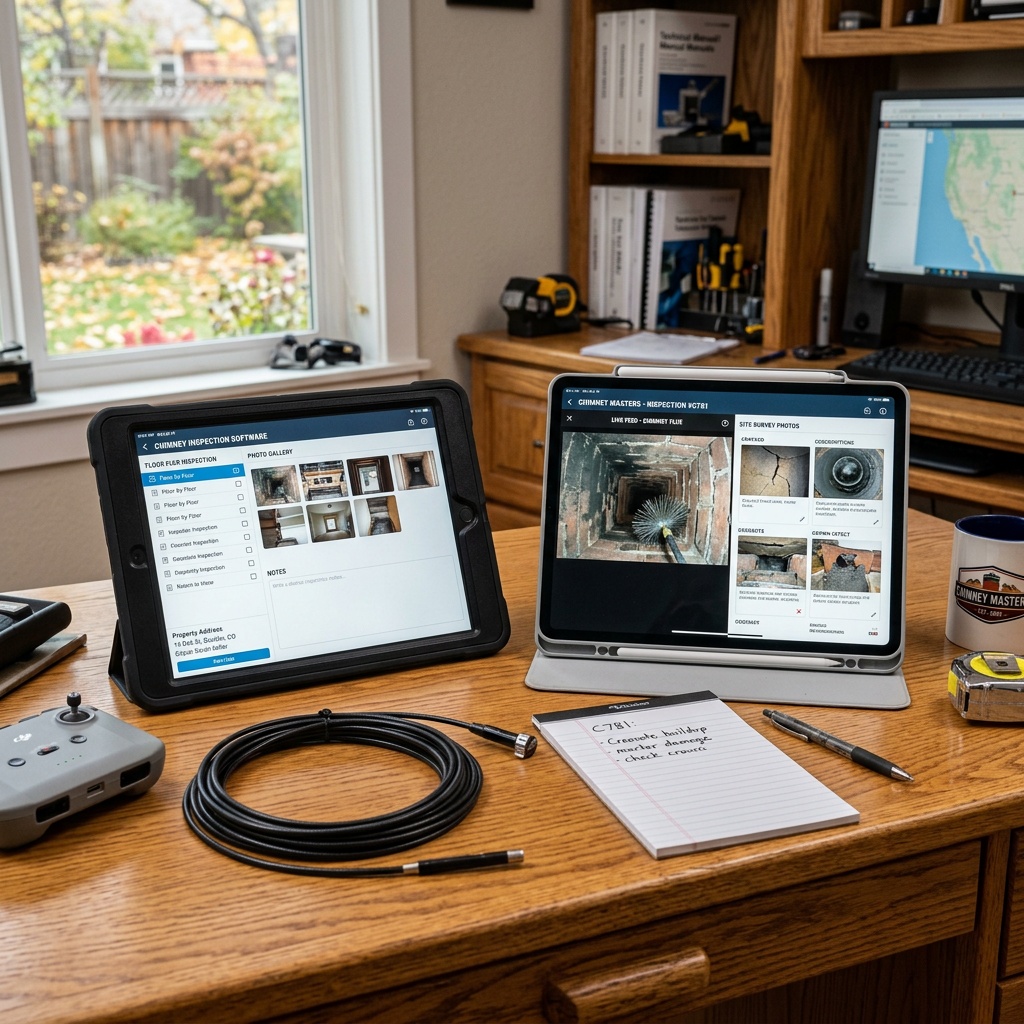
Two tablets showing chimney inspection images and data with inspection probe, remote, notepad, and pen on desk

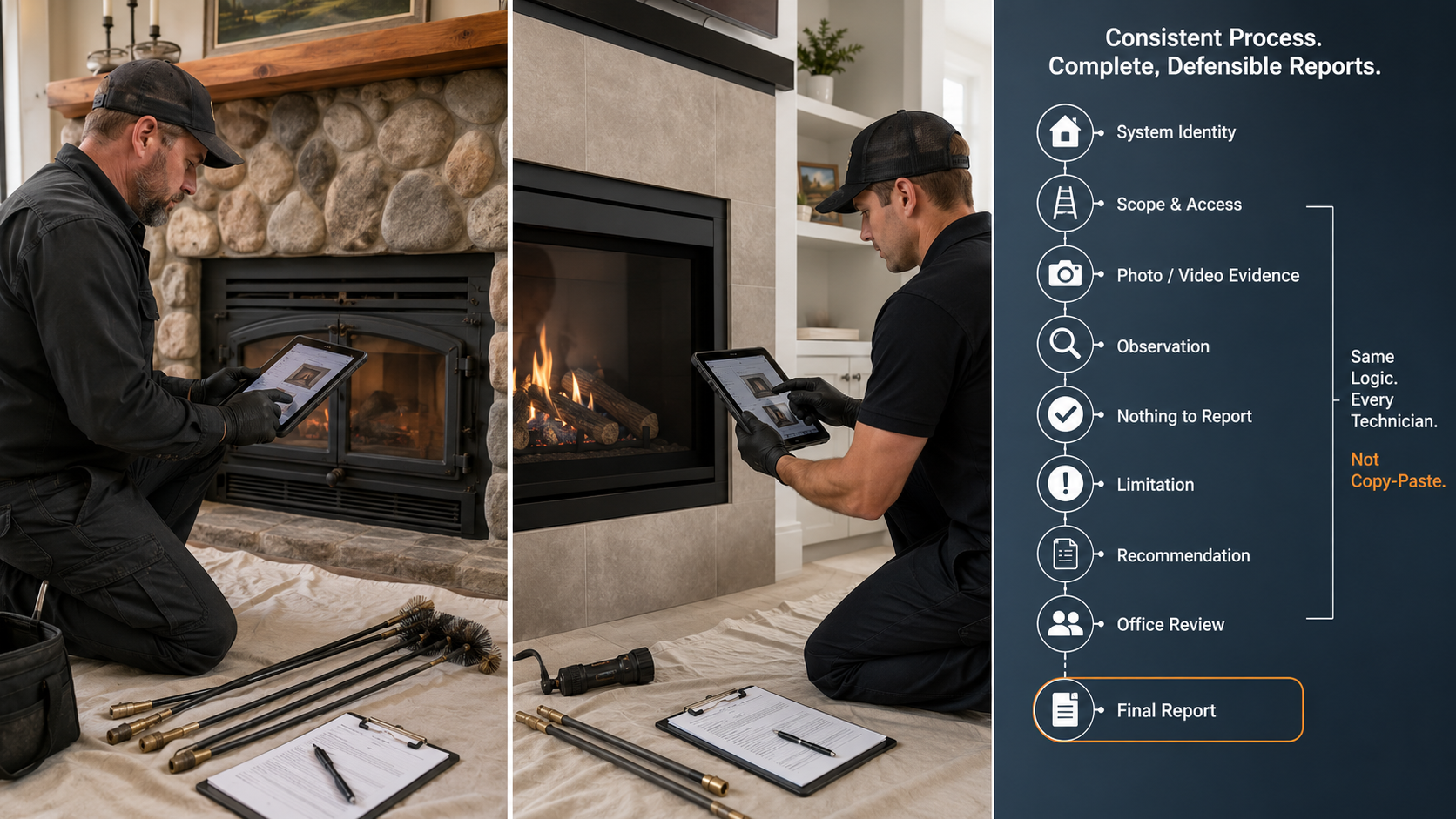
Many home inspectors already use good report-writing software.

That software may be excellent for roofing, exterior, electrical, plumbing, HVAC, interiors, appliances, structure, and general property-condition reporting. It may handle photos, comments, templates, repair-request summaries, web delivery, scheduling, and client communication.

But chimney, fireplace, hearth, and venting inspections are a different documentation problem.

A fireplace report is not just another room note. A chimney report may involve inspection level, system type, appliance type, fuel type, accessible and inaccessible areas, internal camera inspection evidence, manufacturer instructions, code-informed observations, use limitations, clearance concerns, concealed construction, and professional recommendations that may affect whether a system should be used.

That is why the better question is not:

“Can I put chimney comments into my home inspection software?”

The better question is:

“Does my software support the actual workflow required to document a chimney, fireplace, flue, vent, or appliance inspection?”

For many inspectors, the answer depends on whether they are only making a referral or whether they are performing a chimney-specific NFPA style inspection.


What Generic Home Inspection Software Does Well

Generic home inspection software is designed for broad property inspection workflows.

It is usually good at:

  • organizing inspection sections by major home system;
  • collecting photos;
  • creating deficiency comments;
  • producing client-friendly reports;
  • allowing custom templates;
  • syncing between mobile and desktop;
  • delivering reports quickly;
  • creating repair-request lists;
  • helping inspectors work efficiently through a general home inspection.

That is valuable.

For a home inspector documenting a general visual observation such as a cracked hearth tile, missing chimney cap, stained firebox, rusted damper, or referral recommendation, generic software can work well.

The inspector can add photos, write a limitation, and recommend evaluation by a qualified chimney or fireplace professional.

The problem begins when that same software is used as if it were a complete chimney inspection system.


Why Chimney and Fireplace Reporting Is Different

A chimney or fireplace inspection is not just a visual defect checklist. It is a system-based evaluation.

The report may need to identify:

  • fireplace or appliance type;
  • fuel type;
  • chimney type;
  • liner type;
  • flue serving the system;
  • inspection level;
  • accessible portions of the chimney;
  • inaccessible or concealed portions;
  • interior flue condition;
  • camera-scan limitations;
  • appliance connection details;
  • vent connector condition;
  • firebox condition;
  • smoke chamber condition;
  • hearth and hearth-extension concerns;
  • clearance-to-combustible concerns;
  • manufacturer or listing limitations;
  • use restrictions;
  • recommended next actions.

Those details do not fit cleanly into a generic “Fireplace” checkbox.

A chimney may also serve multiple appliances or contain multiple flues. A property may have a living-room masonry fireplace, a factory-built fireplace in the primary bedroom, a pellet appliance in a basement, and a furnace or boiler vent sharing the same exterior chimney structure.

A report that blends those systems together can become confusing quickly.

Chimney inspection software should separate systems clearly so that findings, photos, limitations, and recommendations are tied to the correct appliance, fireplace, chimney, vent, or flue.


The Scope Gap: Home Inspection vs. Chimney Inspection

A general home inspection is typically limited to readily accessible and visible components. A home inspector may observe the visible fireplace, hearth, damper, exterior chimney, roof penetration, cap, crown, chase cover, or connector.

That is not the same as verifying the complete chimney system.

In many general home inspection standards, the inspector is not required to evaluate the interior of flues or chimneys. That matters because some of the most important defects are hidden from normal view.

Examples include:

  • cracked/broken clay flue tile liners;
  • missing mortar between liner sections;
  • damaged smoke chamber surfaces;
  • hidden clearance to combustible issues;
  • disconnected or improper liners;
  • abandoned thimbles or openings;
  • concealed chase damage;
  • improper appliance connections;
  • corrosion/damage inside metal venting/flues;
  • prior chimney fire evidence;
  • factory-built fireplace damage not visible from the room.

A generic home inspection report can document that the system was not fully evaluated and recommend further evaluation.

A chimney inspection report must go further. It must document what was actually inspected, what was not inspected, what evidence was collected, what limitations existed, and what professional recommendation follows from those findings.


Where Generic Software Usually Falls Short

Generic software can often be customized. That does not automatically make it chimney-specific.

Common weaknesses include:

  • no true Level I / Level II workflow distinction;
  • limited system separation for multiple fireplaces, flues, or appliances;
  • weak handling of internal camera evidence;
  • no structured flue-scan limitation workflow;
  • limited chimney-specific measurement logic;
  • generic deficiency comments that do not fit chimney/fireplace systems;
  • inadequate handling of use restrictions;
  • weak linkage between observations and recommendations;
  • limited chimney-specific language for real estate, insurance, fire loss, or investigation work;
  • no built-in logic for fireplace, chimney, vent, and appliance variations.

This does not mean generic software is bad. It means it was built for a broader job.

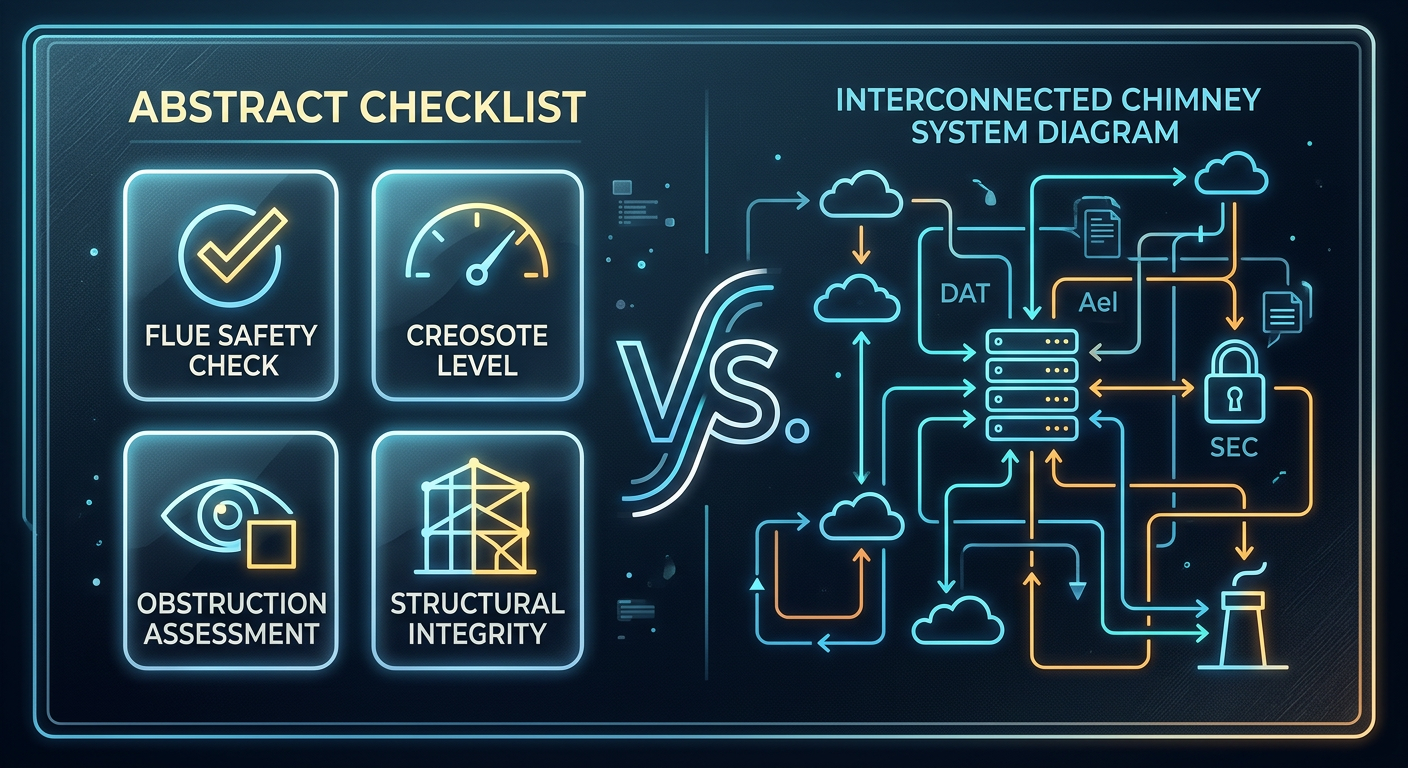
A generic home inspection app is designed to document the house.

Chimney inspection software is designed to document the fireplace, chimney, vent, flue, appliance, and related evidence in a way that supports a more specialized conclusion.


What Chimney Inspection Software Should Document

A strong chimney inspection report should make several things clear.

1. What system was inspected

The report should identify the system clearly.

Examples:

  • Living Room Masonry Fireplace
  • Primary Bedroom Factory-Built Fireplace
  • Basement Wood Stove
  • Boiler Vent System
  • Gas Fireplace Insert
  • Pellet Appliance

The reader should not have to guess which photos or recommendations belong to which system.

2. What level of inspection was performed

The report should identify whether the inspection was Level I, Level II, Level III, limited visual, consultation, return inspection, post-fire evaluation, or another defined scope.

A Level I inspection and Level II inspection should not generate the same workflow. Access requirements are different and a professional workflow should be able to adapt to the access available and undertaken.

3. Why the inspection was performed

The report should identify the trigger or purpose.

Common reasons include:

  • annual inspection;
  • real estate transfer;
  • appliance change;
  • liner change;
  • performance complaint;
  • water-entry concern;
  • chimney-fire concern;
  • insurance or fire-loss investigation;
  • visible deterioration;
  • client-requested documentation;
  • follow-up after repairs.

Purpose matters because it affects scope, urgency, and recommendations.

4. What was accessible

A professional report should document accessible portions of the system, including areas such as:

  • fireplace opening;
  • firebox;
  • smoke chamber;
  • damper area;
  • cleanout;
  • connector;
  • appliance connection;
  • attic;
  • crawlspace;
  • basement;
  • mechanical room;
  • exterior chimney;
  • roof area;
  • chimney crown or chase cover;
  • flue interior by camera or other image-scanning method.

5. What was not accessible

Limitations are not boilerplate filler. They are part of the professional record.

Examples include:

  • roof not accessed due to safety conditions;
  • attic access unavailable;
  • snow or ice prevented exterior evaluation;
  • appliance or insert blocked internal access;
  • camera could not pass an offset;
  • heavy debris prevented complete scan;
  • chase interior concealed;
  • manufacturer label missing or unreadable;
  • finished walls concealed clearance areas.

A good report makes those limitations specific and ties them to the correct system.

6. What evidence supports the findings

The report should connect written findings to photos, screenshots, videos, measurements, or notes.

For example:

  • “Photos above show cracked clay liners throughout the upper third of the flue.”
  • “Internal camera evaluation was limited by obstruction above the smoke chamber.”
  • “Attic shows combustible material in contact with masonry chimney.”
  • “Listing information could not be verified due to corrosion.”

Evidence is what turns a report from opinion into documentation.

7. What action is recommended

The report should separate observation from recommendation.

Observation:

“The visible clay flue liner is cracked.”

Recommendation:

“Do not use the fireplace until the system is further evaluated and repaired by a qualified chimney professional.”

A generic report often combines these into a single vague statement such as “repair chimney.” A chimney-specific report should be more precise.


Level I vs. Level II: Why Workflow Matters

A Level I inspection is not simply a shorter Level II inspection. It is a different scope.

A Level I workflow applies when the system is being used under the same conditions and there are no known changes or suspected events requiring a more detailed inspection.

A Level II workflow is indicated when conditions have changed, when a property is being transferred, when an appliance or liner changes, or when an event may have affected the chimney.

Software should reflect that difference.

A Level II workflow should guide the inspector to document:

  • sale or transfer context;
  • accessible attic, crawlspace, basement, and mechanical areas where applicable;
  • connected appliance and chimney connection;
  • internal flue review using image scanning or equivalent means where accessible;
  • system limitations;
  • camera-scan limitations;
  • recommendation language tied to use, repair, further evaluation, or documentation.

A generic home inspection template may provide a “Level II” checkbox. That is not the same as a Level II workflow.


Camera Evidence Needs a Reporting Workflow

Camera equipment and reporting software should work together.

A chimney camera may capture the flue interior, smoke chamber, connector, vent, or other restricted area. But footage alone does not create a useful report.

The report still needs:

  • still images selected from the scan;
  • captions explaining what the image shows;
  • location references;
  • direction or orientation notes when useful;
  • limitations if the scan was incomplete;
  • findings tied to recommendations;
  • clear identification of which system the image belongs to.

This is where chimney-specific software matters.

The goal is not to dump every camera image into a PDF. The goal is to preserve enough evidence to support the professional conclusion.


Home Inspectors: Referral or Added Service?

Home inspectors generally have two clean options.

Option 1: Referral model

The home inspector performs the normal home inspection, documents visible fireplace/chimney concerns, states limitations, and recommends a qualified chimney/fireplace professional when appropriate.

Generic home inspection software may be sufficient for this model if the language is clear.

Example:

“Readily visible portions of the fireplace and chimney were observed. The interior of the flue and concealed portions of the chimney system were not evaluated as part of this general home inspection. A Level II chimney inspection by a qualified chimney/fireplace professional is recommended before use and before the end of the inspection contingency period.”

Option 2: Added-service model

The home inspector adds chimney inspection services as a separate ancillary service with defined scope, training, camera equipment, documentation process, insurance consideration, and chimney-specific report language.

This is where chimney inspection software becomes much more important.

If the inspector is charging separately for a more in-depth fireplace or chimney inspection, or even a full Level II chimney inspection, the report should not look like a generic fireplace subsection. It should document the chimney/fireplace system as its own professional inspection.

It is important to note that Level II inspections are very involved and there is a lot to know, document, and determine to perform them properly. Offering some middle option for home inspectors is an option to give homeowners a better glimpse of their system and have a better chance of identifying potential issues… but if a full Level II inspection is not performed it must be documented and an appropriate recommendation made. And anyone stating they are performing a Level II inspection or offering a Level II inspection service should be careful they understand the scope of a Level II inspection and be sure they complete it. Home inspectors offering Level II fireplace or chimney inspections are held accountable to the inspection standards and scope contained in the NFPA211.

Even if a home inspector performs a Level II inspection this likely does not replace the need for the chimney/fireplace professional to complete their own Level II inspection prior to necessary repairs/replacement. The chimney or fireplace specialist may still need to complete their own Level II inspection in order to scope repairs properly and assure they fulfill their professional burden of care to the customer.


Chimney Companies: CRM Software Is Not the Same as Chimney Inspection Software

Chimney companies often use field-service software for scheduling, dispatching, estimates, invoicing, payment collection, client records, and technician routing.

That is useful business software.

But chimney sweep CRM software is not automatically chimney inspection software.

A CRM may help manage the job. It may help invoice the client. It may help sell repairs. It may help track estimates.

But the inspection report still needs to document scope, system identity, access, limitations, findings, camera evidence, and recommendations.

For chimney companies performing inspections, the strongest workflow may involve both:

  • a business-management platform for scheduling and invoicing;
  • a chimney-specific inspection platform for field documentation and reporting.

Those are different jobs.


When Generic Home Inspection Software May Be Enough

Generic home inspection software may be enough when:

  • the inspector is only documenting visible fireplace/chimney observations;
  • the report clearly states limitations;
  • the inspector is not representing the work as a Level II chimney inspection;
  • the recommendation is referral-based;
  • no separate chimney inspection report is being sold;
  • the inspector is not trying to document camera-scan findings, use restrictions, or chimney-specific system evaluation.

In those situations, the key is accurate language.

The report should not imply that the flue interior, concealed chimney areas, installation details, or suitability for continued use were verified if they were not.


When Chimney-Specific Software Is the Better Fit

Chimney inspection software is the better fit when:

  • the company performs or is required to perform NFPA Level I or Level II chimney inspections;
  • the report must separate multiple systems;
  • camera documentation is part of the service;
  • technicians need guided chimney-specific workflows;
  • reports need consistent language across a team;
  • findings must be tied to recommendations;
  • limitations must be documented by system;
  • the company performs real estate, insurance, fire-loss, consulting, or expert-style inspections;
  • the company wants a defensible report rather than a generic checklist.

A chimney-specific report should help the reader understand:

  • what was inspected;
  • how it was inspected;
  • what was visible;
  • what was not visible;
  • what defects were observed;
  • what those defects may mean;
  • what action is recommended;
  • whether use should be discontinued until corrected or further evaluated.

That is the real difference.


How InspectionFire Fits This Workflow

InspectionFire is built for chimney, fireplace, hearth, venting, and home inspection professionals who need structured inspection documentation.

It is not just a generic report writer with a chimney section added.

InspectionFire is designed to support:

  • system-based chimney and fireplace documentation;
  • inspection level selection;
  • guided workflows;
  • photo documentation;
  • camera evidence workflows;
  • measurements;
  • limitations;
  • pre-written chimney/fireplace report language;
  • consistent recommendations;
  • professional PDF report output.

For home inspectors, InspectionFire can support a move from referral-only chimney comments into a more formal ancillary-service workflow.

For chimney professionals, it can help standardize inspection reports, reduce repetitive writing, improve documentation consistency, and connect camera evidence to professional recommendations.

Chimney inspection software does not replace training, field judgment, or applicable standards… but it can augment and guide it. Good software workflow supports the documentation process so that the final report is clearer, better organized, and more useful.


Bottom Line

Generic home inspection software is useful for broad property inspections. It can document visible fireplace and chimney concerns, especially when the inspector is making a referral.

But chimney inspection software is different.

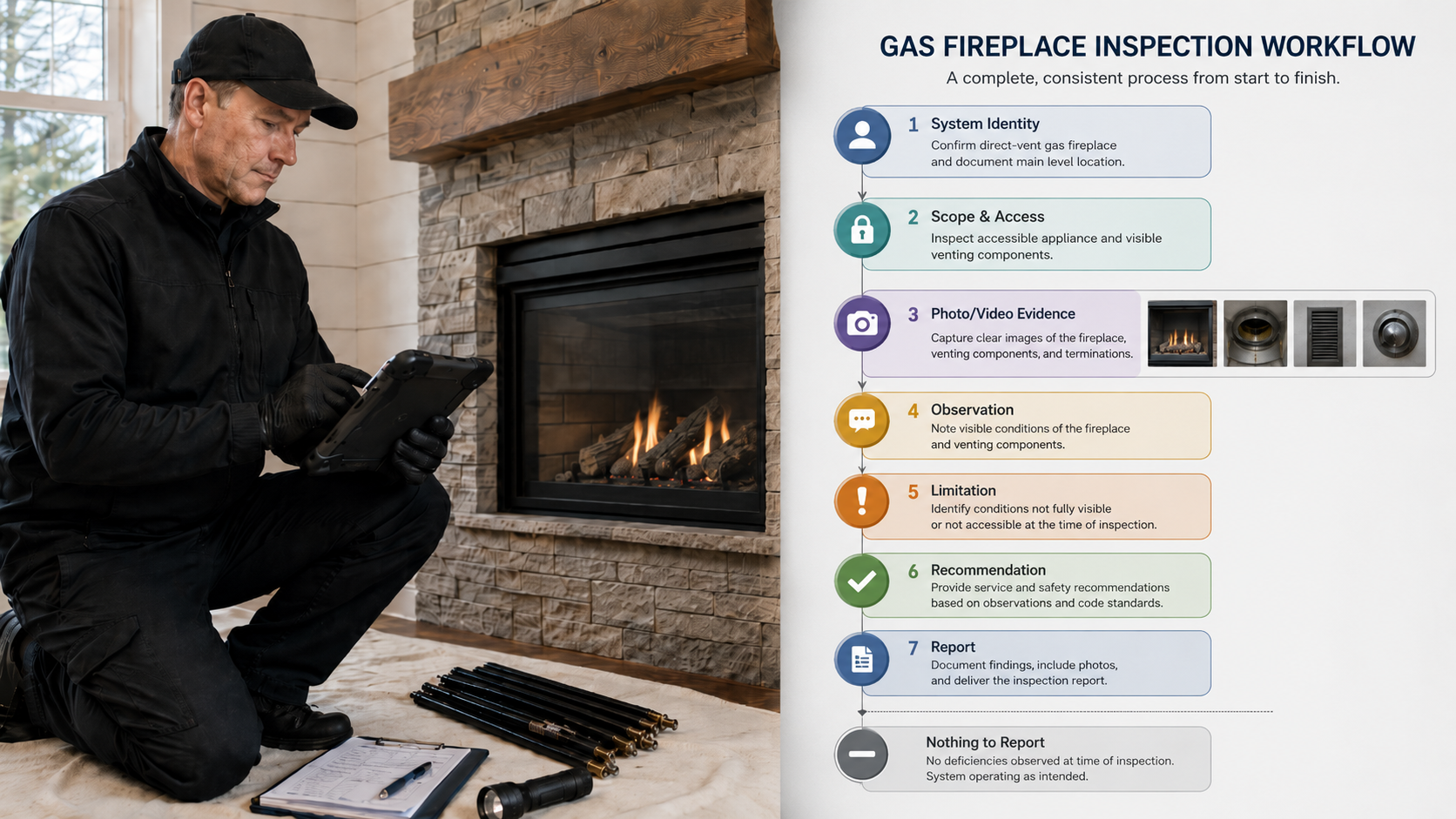
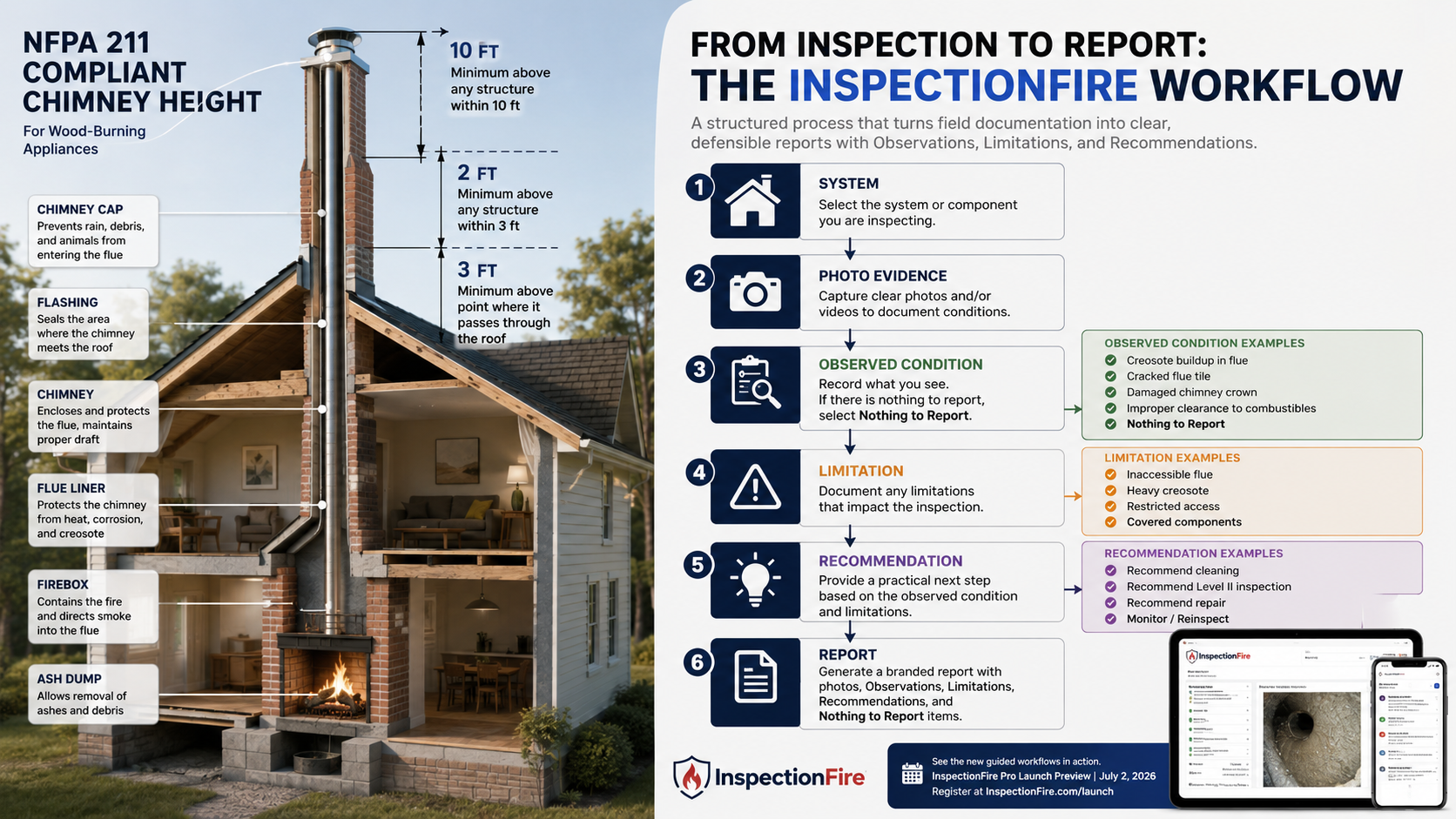
It should support the actual chimney/fireplace workflow: system identification, inspection level, access, limitations, camera evidence, observations, recommendations, and report output.

If you are only noting visible fireplace conditions during a general home inspection, generic software may be adequate.

If you are performing chimney, fireplace, flue, venting, or Level II-style documentation, use software built for that work.

The report should match the inspection.


FAQ

Can I use home inspection software for chimney inspections?

You can use home inspection software to document visible fireplace and chimney observations during a general home inspection. But if you are performing a chimney-specific inspection, especially a Level II-style inspection, chimney inspection software is usually a better fit because it supports system identity, camera evidence, limitations, and chimney-specific report language.

What is the difference between chimney inspection software and home inspection software?

Home inspection software is built for broad property inspections. Chimney inspection software is built for fireplace, chimney, venting, appliance, flue, camera, and inspection-level documentation. The difference is the workflow, not just the final PDF.

Is generic inspection software enough for a Level II chimney inspection?

Usually not by itself. A Level II chimney inspection requires a more specific workflow than a generic fireplace comment section. The report should document inspection scope, accessible areas, limitations, internal image scanning or equivalent visual review, observed conditions, and professional recommendations.

Why does chimney camera documentation need software?

Camera footage is useful only if it becomes clear report evidence. Software should help the inspector attach still images, captions, locations, limitations, and recommendations to the correct system.

Can home inspectors offer chimney inspections as an ancillary service?

Yes, but they should have appropriate training, equipment, scope language, insurance consideration, and reporting workflows. A chimney inspection should be presented as a defined service, not implied as part of a basic visual home inspection unless that is actually the agreed scope.

What should chimney inspection software include?

It should include system-based documentation, inspection level selection, access and limitation notes, photo and camera evidence, measurements, observation language, recommendation language, use-restriction language, and professional report output.

Is chimney sweep software the same as chimney inspection software?

Not necessarily. Chimney sweep or field-service software may handle scheduling, dispatching, invoices, estimates, payments, and customer management. Chimney inspection software focuses on documenting the inspection itself


Schedule a Demo to Explore Chimney Inspection Software

Posted on

360° Chimney Inspection Camera vs Borescope: What Professionals Should Know


A cheap borescope can be useful around a fireplace, appliance cavity, smoke shelf, cleanout, or other tight-access area. But that does not make it the best primary tool for professional chimney inspection documentation.

For chimney, fireplace, hearth, and venting professionals, the real question is not simply:

“Can this camera see inside the chimney?”

The better question is:

“Can this camera help me produce clear, reviewable, defensible visual evidence for the inspection report?”

That is where the difference between a small borescope and a purpose-built 360° chimney inspection camera workflow becomes important.

The Short Answer

A borescope is a useful utility camera, however it is not specifically suited to run up through a chimney and capture all the necessary data.

A 360° chimney inspection camera is usually a better fit when the goal is broad flue-wall documentation, later report review, and consistent visual evidence.

That does not mean a 360° camera replaces every other inspection tool. It also does not mean a borescope has no place in the truck, or during an inspection. The two tools serve different purposes.

For most professional chimney documentation workflows:

NeedBetter fit
Quick look inside a small cavity or other inaccessible areaBorescope
Openings too small for larger inspection cameras or phones to fit into or focus onBorescope
Broad interior flue documentation, smoke chamber, smoke shelf, chase interiors with large enough access points360° chimney inspection camera
Level II-style chimney documentation360° camera or other suitable image-scanning system
Controlled live directional viewing360° camera or pan-and-tilt chimney camera
Report evidence that can be reviewed later360° camera workflow

The borescope is a quick-access tool. The 360° chimney camera is a documentation tool.

What a Borescope Does Well

A borescope, endoscope, or small inspection camera can be valuable in chimney and fireplace work when access is limited and the inspection target is narrow.

Examples include:

  • looking between gaps/cracks in facing materials or components;
  • checking behind or around appliance components;
  • looking behind electronics or entering concealed areas using wiring boxes/outlets/etc;
  • checking a confined area before disassembly;
  • documenting a specific visible concern at close range.

Borescopes are inexpensive, portable, and easy to keep in a service vehicle. Many include their own lights, flexible leads, and phone or monitor connections. For basic troubleshooting and quick verification, they can be useful.

The problem starts when the borescope is treated as the main chimney inspection camera.

Where Borescopes Fall Short in Chimney Inspection Work

Inside a chimney flue, the camera geometry matters.

A small borescope usually points in one direction. If it is dropped or pushed through a flue, the operator may not know exactly which wall surface is being viewed. The camera may rub against one side, twist during movement, or miss portions of the liner. Lighting may be uneven. The image may be unstable. The resulting footage may be difficult to interpret later.

Common limitations include:

  • narrow field of view;
  • poor orientation control;
  • unstable footage;
  • lack of perspective;
  • limited ability to capture all sides of the flue;
  • inconsistent/insufficient lighting;
  • limited effective range;
  • difficulty documenting vertical position;
  • weak reporting workflow;
  • limited value for later review by the client, office, supervisor, or third party.

For a quick look, those limitations may be acceptable. For a professional inspection report, they can become a problem.

A report is only as strong as the evidence behind it. If the camera angle is inconsistent, if the footage only shows one wall, or if the image cannot be tied back to a clear inspection location, the camera has not solved the documentation problem.

What a 360° Chimney Inspection Camera Does Differently

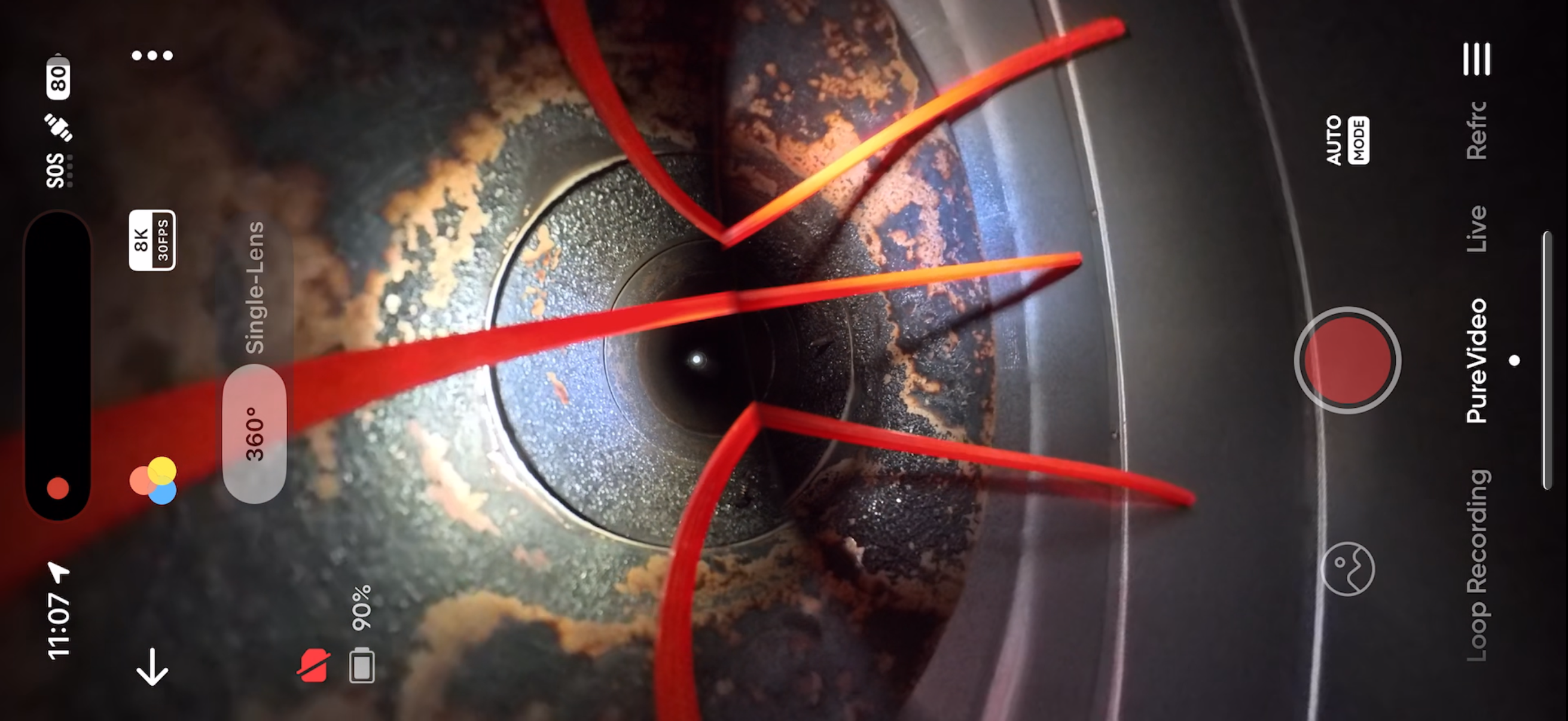
A 360° chimney inspection camera captures a much broader visual field than a single-direction borescope. Instead of trying to point the camera perfectly at every wall surface, the camera captures the surrounding flue area for later review.

That changes the workflow.

The inspector can move the camera through the chimney while collecting broader visual evidence. Afterward, the footage can be reviewed to identify areas that need still images, report notes, recommendations, or limitations.

Key advantages include:

  • broad flue-wall capture;
  • less dependence on perfect camera aiming;
  • better reviewability after the inspection;
  • stronger visual documentation for the report;
  • practical use from the top down or bottom up depending on access and rod setup;
  • camera-platform upgradeability when using modern action-camera systems;
  • lower cost than many dedicated pan-and-tilt CCTV systems.

A 360° camera does not automatically make the inspection good. The housing, centering, lighting, rod control, camera settings, operator technique, and report workflow still matter. But when those pieces work together, a 360° chimney camera can be one of the most practical documentation tools available to a chimney or fireplace inspection business.

Level II Documentation: The Issue Is Evidence, Not Just Visibility

A Level II chimney inspection is not just a casual look into the firebox.

The inspection scope is broader. It includes accessible portions of the chimney and connected appliance, and the chimney interior must be examined using image scanning equipment or an equivalent or more advanced viewing method where needed to observe those areas.

That matters for camera selection.

The camera should help the inspector document:

  • what was visible;
  • what was not visible;
  • what portions of the system were accessed;
  • what limitations affected the inspection;
  • whether the flue interior showed visible cracks, gaps, offsets, deterioration, blockage, unused openings, or other concerns;
  • which findings were significant enough to include in the report.

For that purpose, a borescope may be too limited as the primary tool. It has its place and may help with a specific detail or getting into an otherwise inaccessible area, but it usually does not provide the same broad documentation value as a 360° chimney camera system or a dedicated chimney inspection camera system.

360° Chimney Camera vs Borescope Comparison

CategoryBorescope / endoscope360° chimney inspection camera
Best useQuick checks in small areasBroad flue documentation
Field of viewNarrowFull 360° capture
OrientationCan be difficult to controlLess dependent on perfect aiming
Documentation valueLimited for full flue reviewStronger for later review
CostUsually lowerUsually higher than a borescope but lower than many CCTV systems
Report workflowOften weakBetter suited to photo/video evidence workflows
Level II-style useSupplemental toolBetter primary documentation option
Upgrade pathUsually replace the whole unitCamera can often be replaced or upgraded separately
Best buyerHomeowner, technician, utility useChimney/fireplace professional, home inspector adding chimney services

When a Borescope Is the Right Tool

A borescope still belongs in the inspection toolkit.

Use it when the target is small, close, specific, or otherwise inaccessible. For example, a borescope can help document conditions between components/materials where separation has occurred, inside or behind damaged areas, through cracks/gaps, inside wall cavities, stuck damper area, or behind specific obstruction.

It is especially useful when:

  • the area is too small for a larger camera housing;
  • the inspection target is near the access point;
  • the question is narrow;
  • the image does not need to represent the entire flue interior;
  • the borescope is supplementing a broader inspection method.

The key is to treat the borescope as a supplemental tool, not as the entire chimney documentation system.

When a 360° Chimney Inspection Camera Is the Better Tool

A 360° chimney camera is the better fit when the goal is to document the chimney interior in a way that can be reviewed later and used in a professional report.

It is especially useful when:

  • the inspection involves a Level II-style workflow;
  • the company needs consistent photo/video evidence;
  • the inspector wants to capture more of the flue wall surface;
  • the office or report writer may review the footage later;
  • the client needs visual support for recommendations;
  • the company wants a portable alternative to a higher-cost dedicated CCTV system;
  • the inspector already uses or wants to use action-camera platforms such as GoPro or Insta360.

For many companies, this is the practical middle ground between a cheap borescope and a full dedicated pan-and-tilt inspection system.

Where Pan-and-Tilt Chimney Cameras Still Fit

A 360° camera is not the only professional option.

Traditional pan-and-tilt chimney cameras can be excellent tools. They usually provide controlled live viewing, directional camera movement, a monitor, cable or push-rod system, lighting control, and recording. For inspectors who want live directional control inside the flue, a pan-and-tilt camera may be the right tool.

The tradeoff is usually cost, equipment bulk, and workflow. Dedicated systems can be more expensive and may not integrate as easily with modern action-camera ecosystems or cloud/reporting workflows.

The practical question is not which camera is universally best. The practical question is which camera best supports the type of inspection work your company performs.

Buying Criteria for Professional Chimney Camera Documentation

Before buying a chimney inspection camera, evaluate the system against the workflow you actually need.

Ask:

  1. Can it document the full area I need to evaluate?
    A narrow view may be enough for a small cavity, but not for broad flue documentation.
  2. Can I review the evidence later?
    The camera should support report writing, not just live viewing.
  3. Can the footage be converted into useful report photos quickly and easily?
    If the footage cannot support clear still images, it may not help the report.
  4. Can the camera move through the chimney without constant snagging?
    Housing design, centering, rod control, and durability matter.
  5. Can I document limitations clearly?
    If offsets, debris, access restrictions, or geometry prevent complete viewing, the workflow should make that limitation easy to record.
  6. Can the system grow with my company?
    A camera-platform-based system may allow future camera upgrades without replacing every part of the inspection setup.
  7. Does it fit the business model?
    A company doing occasional visual checks may not need the same system as a company selling documented Level II chimney inspections.

How InspectionFire Fits This Workflow

InspectionFire camera housings and kits are built for chimney, fireplace, hearth, and venting professionals who need practical visual documentation inside real inspection environments.

The purpose is not merely to protect a camera. The purpose is to help the camera move through chimneys and vents in a way that supports usable evidence.

For inspectors using compatible GoPro or Insta360 platforms, InspectionFire systems are designed to support:

  • 360° chimney documentation;
  • single-lens inspection workflows;
  • tight-space and offset navigation;
  • low-light inspection needs;
  • report evidence collection;
  • professional inspection workflows.

A 360° action camera by itself is not a chimney inspection system. The camera needs the right housing, rod setup, lighting approach, inspection technique, and reporting process. InspectionFire focuses on that professional workflow.

Bottom Line

A borescope can be useful. It is not automatically a professional chimney inspection documentation system.

For broad chimney flue review, Level II-style documentation, and report evidence, a 360° chimney inspection camera workflow is usually the stronger choice. It gives the inspector more visual coverage, better reviewability, and a more practical path from field evidence to final report.

Use the borescope for tight, specific, close-range questions.

Use the 360° chimney camera when the inspection requires broader documentation.

And when the report needs to stand on the quality of the evidence, choose the camera workflow accordingly.

FAQ

Is a borescope good enough for a chimney inspection?

A borescope can be useful for quick checks and small-access areas, but it is usually not the best primary tool for professional chimney flue documentation. Its narrow view, orientation issues, and limited reporting workflow can make it weak for broad chimney interior review.

Is a 360° camera better than a borescope for Level II chimney inspections?

For documentation-focused inspections, a 360° chimney camera is generally a better fit than a borescope because it captures more of the flue wall surface and supports later review. A borescope may still be useful as a supplemental tool.

Can a GoPro or Insta360 be used for chimney inspections?

Yes, compatible action cameras can be used as part of a chimney inspection workflow when paired with an appropriate housing, rod setup, lighting strategy, and report process. The camera alone is not enough; the inspection system and workflow matter.

Do I still need a pan-and-tilt chimney camera?

Some companies do. Pan-and-tilt systems are useful when live directional control is the priority. A 360° action-camera workflow is often more practical when broad capture, portability, upgradeability, and later report review are the main priorities.

What should chimney camera footage show?

Useful chimney camera footage should help document accessible interior flue conditions, visible liner surfaces, joints, cracks, gaps, offsets, blockages, deterioration, unused openings, or other relevant conditions. It should also support clear limitations when portions of the system cannot be observed.

What is the biggest mistake when buying a chimney inspection camera?

The biggest mistake is buying only for image capture instead of documentation workflow. A camera must help the inspector produce useful, reviewable evidence for the report. Field of view, movement through the chimney, lighting, camera protection, and reporting process all matter.